Duplicate test jdbc
Copy test jdbc from JDBC Library. When copying a jdbc test, all information, both configuration and description, is copied:
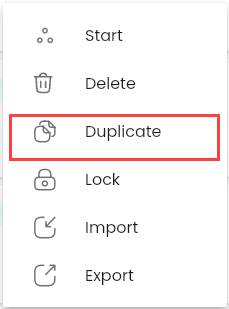
Step 1: Click the button  corresponding to the Test JDBC you want to duplicate, then select “Duplicate”
Step 2: All information fields in the “Duplicate test jdbc” screen will be copied, referring to the fields in the section Tạo mới một jdbc.
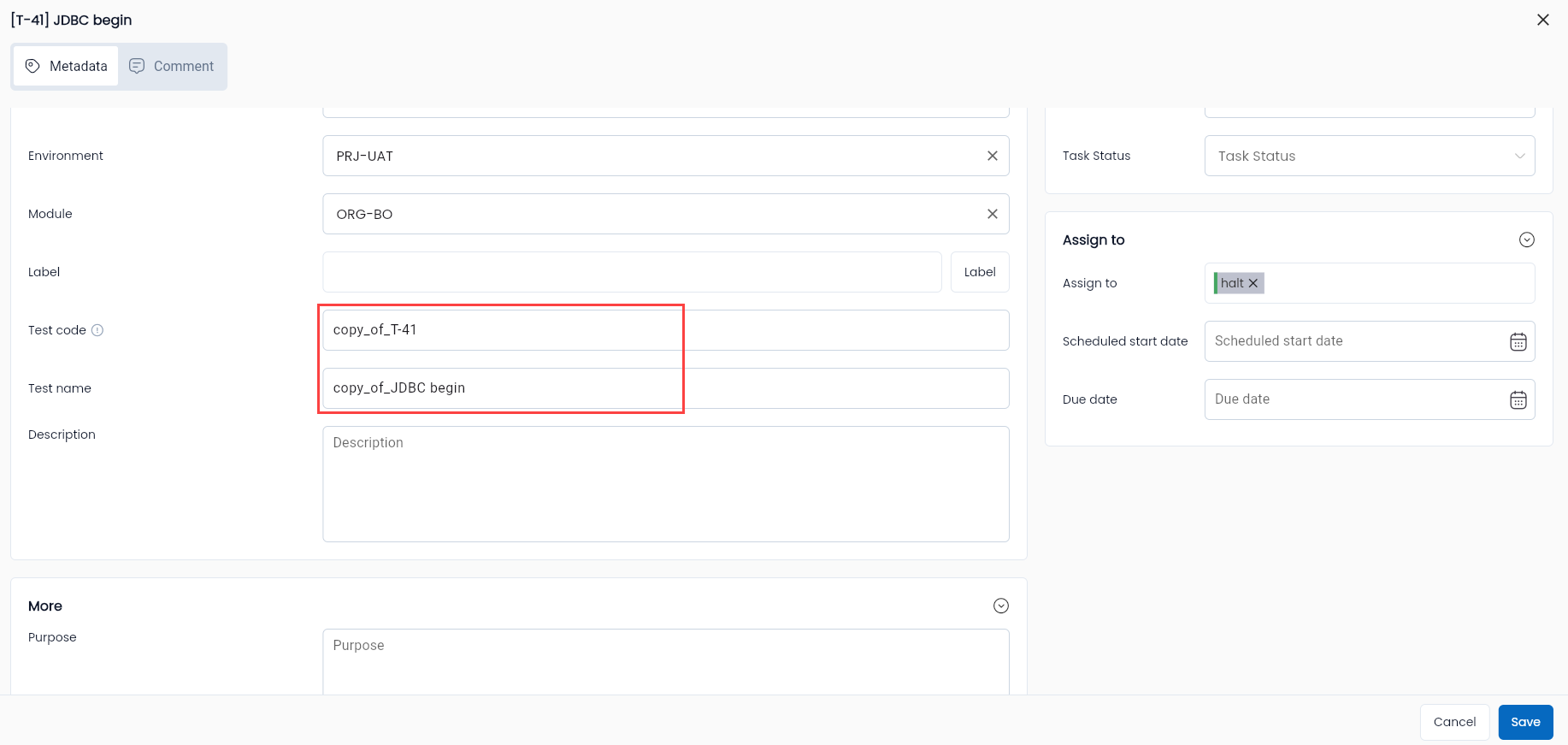
Exceptions:
| Field Name | Mandatory | Format | Constraints | Description |
|---|---|---|---|---|
| Tab General information | ||||
| Basic Information | ||||
| Code | No | Text | If entered, the Code must be unique, at least 2 characters long, start with a letter, and contain only a-z (lowercase, uppercase), digits, "_" and "-". | The code of the duplicated project will be automatically changed to “copy_of_” + the original project’s code. Users can edit or leave it blank for the system to generate it as T-STT (e.g., T-1). |
| Name | Yes | Text | The name of the duplicated project will be automatically changed to “copy_of_” + the original project’s name. Users can edit it. | |
| Metadata Configuration Information | ||||
| Project | Yes | Combobox | Displays the list of projects the user is involved in. It’s possible to duplicate a scenario from different projects. Only one value can be selected. | |
| Status | Yes | Combobox | Allows the user to select one of three values: Draft/Active/Review. | |
| Workflow Status | Yes | Combobox | Allows the user to select one of four values: Draft/Reject/Active/Review. |
Step 3: Click “OK”
The duplicated Test JDBC will be added to the JDBC library of the selected project.