Insight
Overview of Insight
It is a summarizing function that provides an overview of the testing project, assessing feasibility before going live.
Testops Dashboard
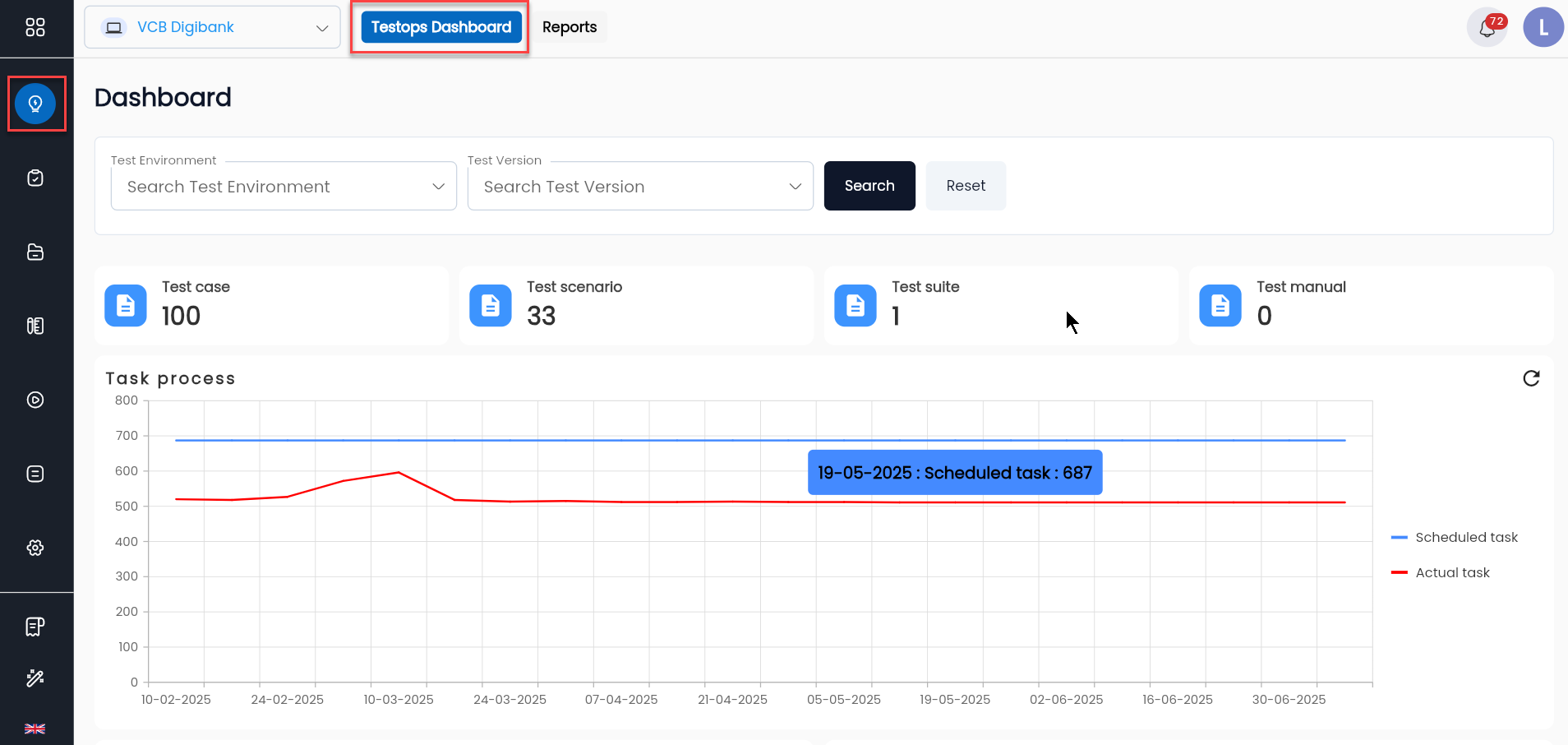
- Project version: Allows users to filter by the application's version.
- Project environment: Allows users to filter by the application's development environment.
The dashboard provides an overview of the project, including the number of active test scenarios, failure rates, severity rates, etc. Test Overview summarizes the number of active test scenarios according to the project's process, including:
- TotalTest scenario: Total number of scenarios in the project.
- Test case Active: Total number of cases in the project.
- Test suite Review: Total number of test suites in the project.
- Test manual Draft: Total number of manuals in the project.
Reports
The Reports function provides users with the results of test scenario executions displayed in a line chart, showing the increase/decrease in the passed rate over different stages.
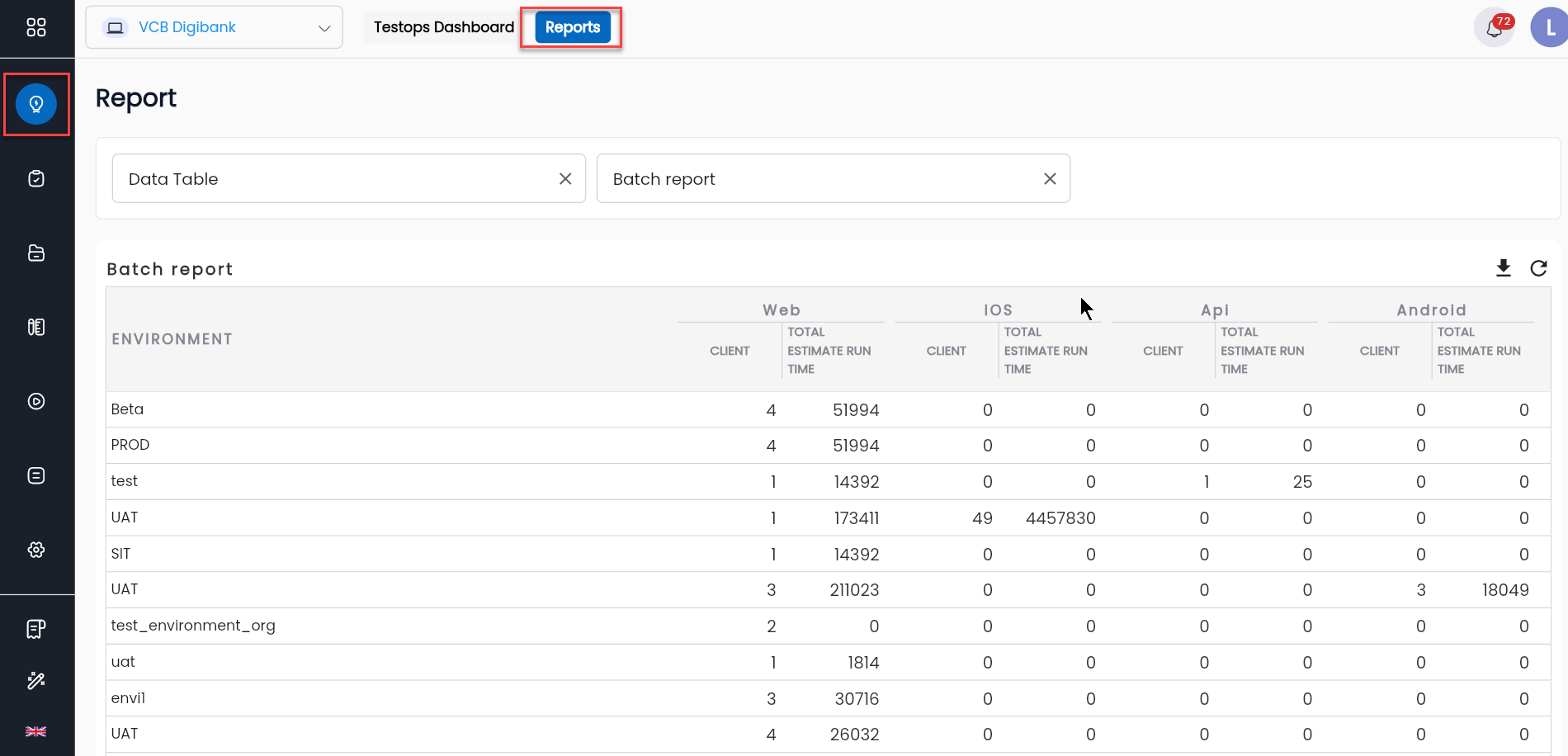
Click Download Report to view the detailed report of the test execution results for the entire project.
Sheet "Test run status"
Displays basic information about the project.
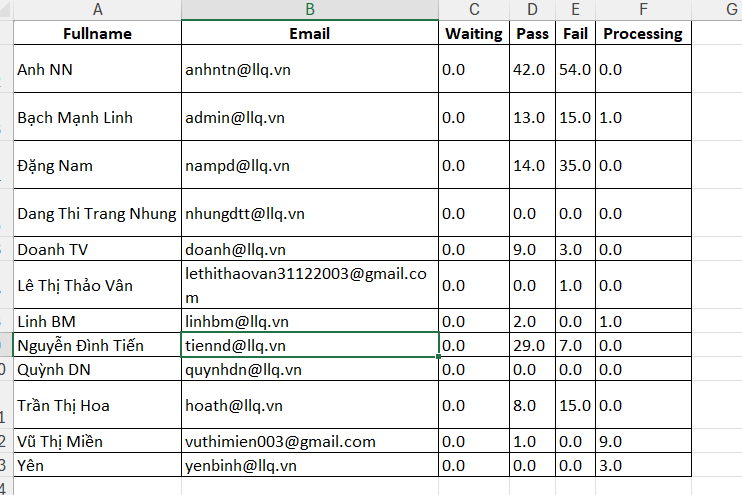
Sheet "Test data status"
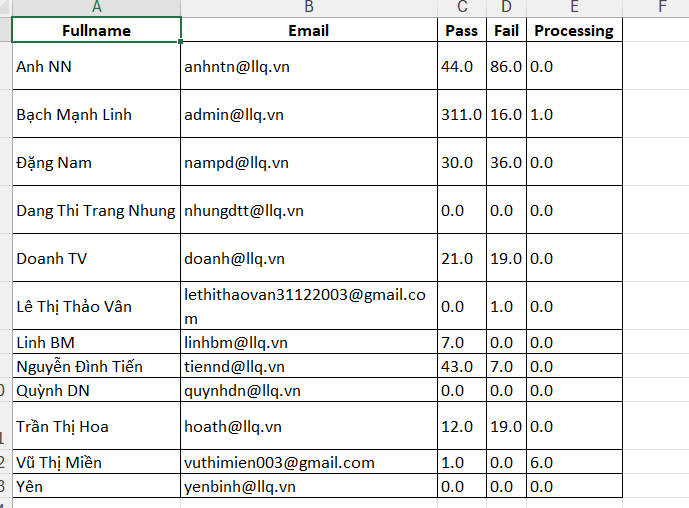
Displays detailed statistics of the test scenario execution results of the project by user name and email, including:
| Column | Description |
|---|---|
| Module | List of Modules in the project |
| Test case created | Number of test scenarios created on the corresponding module of the version. For example, the number of test scenarios for the Smart OTP module on version Alpha is 42. |
| Test case last run | Number and success/failure rate in the last run of the module in the current version. |
| Test run | Number and success/failure rate of all test scenarios corresponding to the module in the current version. |
| Total | Total number of runs. |
Sheet "Test case run status"
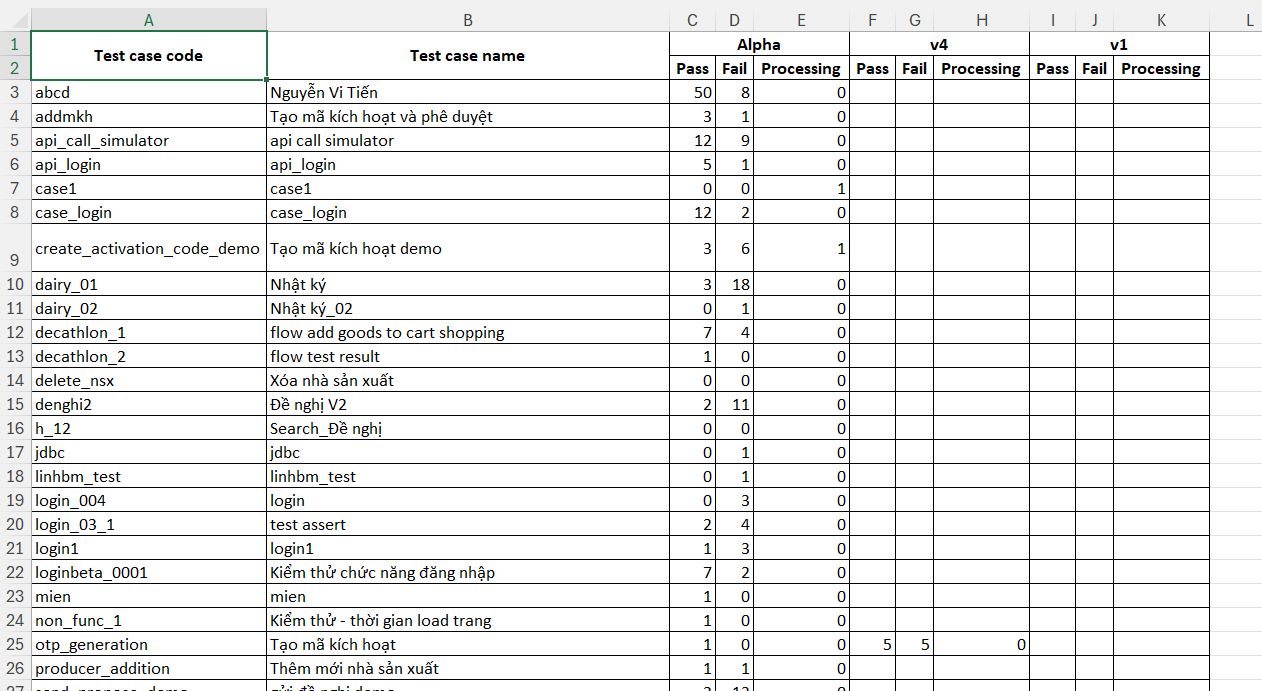
Statistics of the number of test scenarios executed in each version of the project.