Create a new JDBC profile
The JDBC Profile is used to store database information that the Test JDBC will interact with.
Steps to access the Profile screen can be referenced in the section Profile
Step 1: On the “CREATE PROJECT PROFILE” screen, select the JDBC Platform.
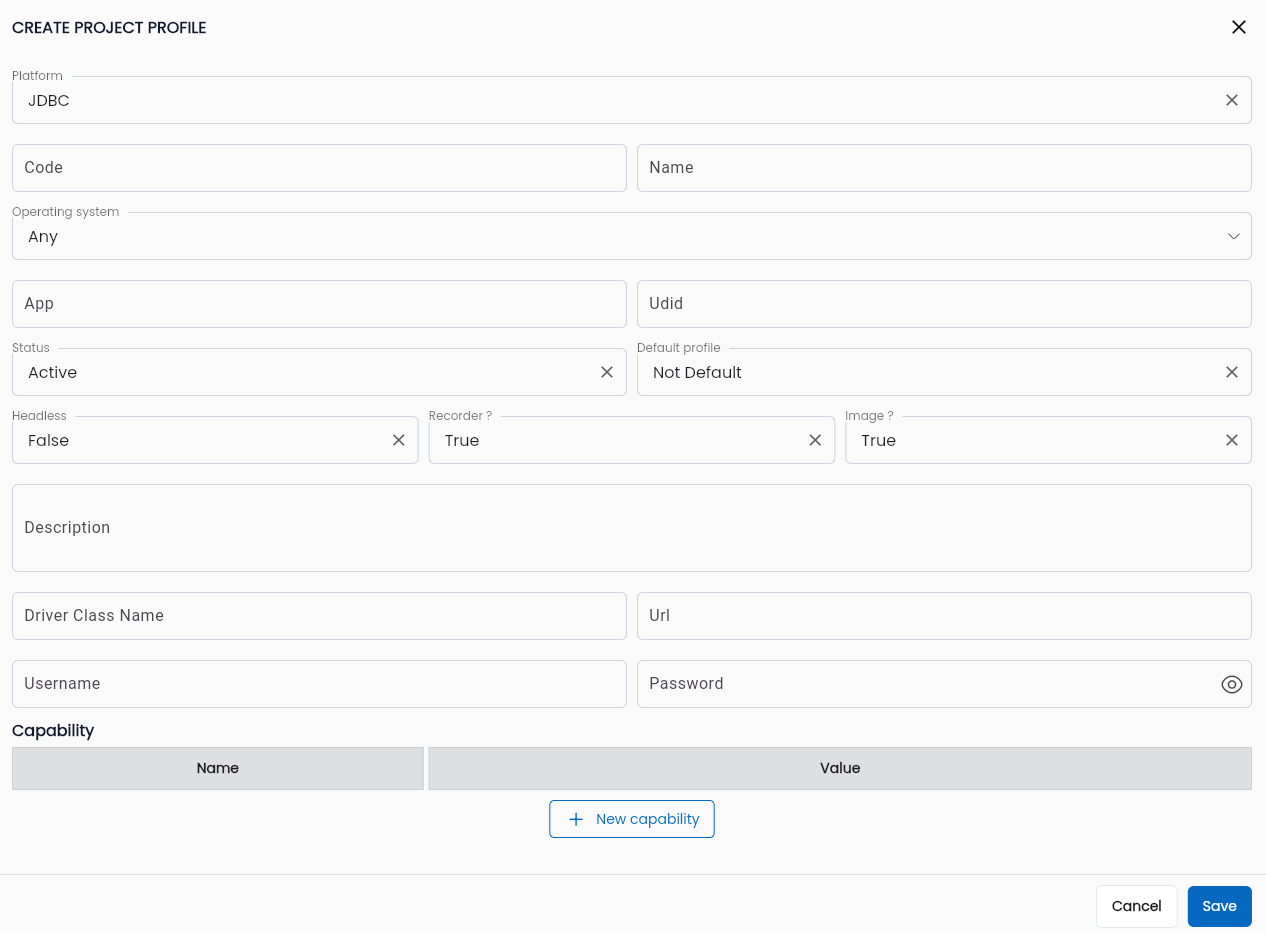
Step 2: Enter the information described in the Profile section. Specific details for the JDBC platform include:
| Field Name | Mandatory | Format | Constraints | Description |
|---|---|---|---|---|
| Driver Class Name | Yes | Text | Driver information that identifies the database type | |
| Url | Yes | Text | URL to connect to the database | |
| Username | Yes | Text | Database account information | |
| Password | Yes | Text | Database password information |
Note:
- Currently, the system supports two test JDBC drivers:
- Postgresql:
org.postgresql.Driver - Oracle:
oracle.jdbc.OracleDriver
- Postgresql:
- Url:
jdbc:sqlserver://[địa-chỉ-host]:[cổng];databaseName=[tên-cơ-sở-dữ-liệu]