Test Suite
What is a Test Suite?
Test suite is a testing script similar to a test scenario, but it can call multiple existing test scenarios in the project and manage their execution order to perform a larger flow or integrate functionalities.
Test Suites provide flexibility to manage the order between test scenarios, grouping test scenarios into sets to create different test case groups. This helps users easily select which test scenarios will be used and determine the order in which they will run.
Creating a New Test Suite
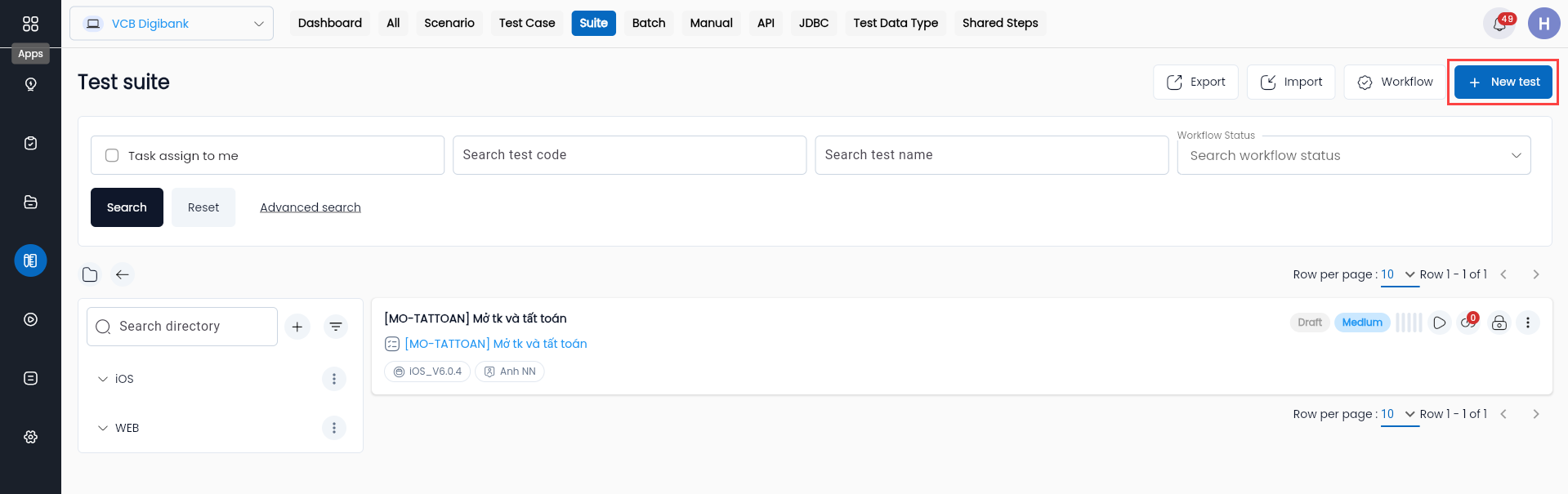
Step 1: On the Suite library screen, click the “NEW TEST” button, and the system will display the metadata screen of the suite.
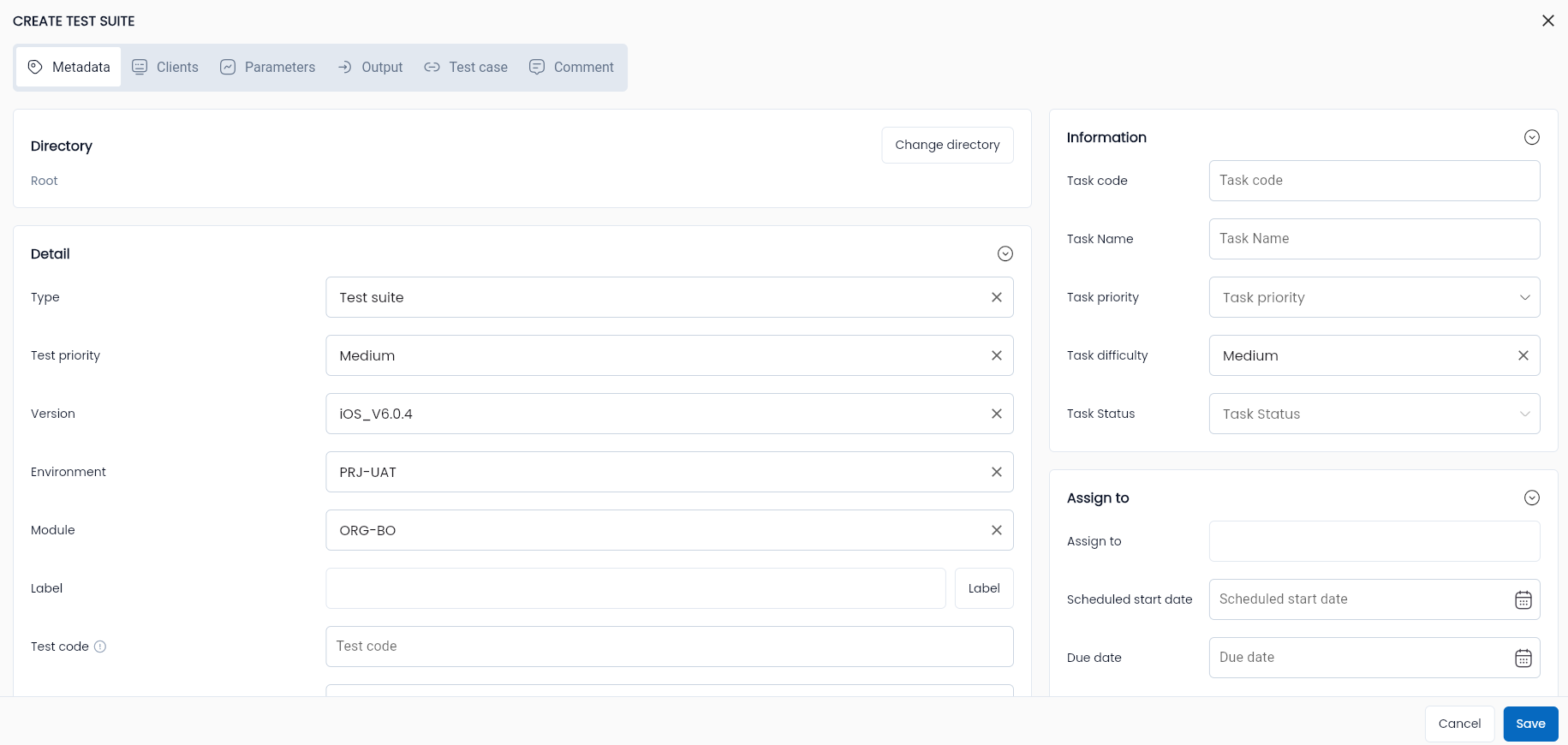
Step 2: Enter all required and valid information for the fields, including:
| Field Name | Mandatory | Format | Constraints | Description |
|---|---|---|---|---|
| Metadata information of a test suite. Similar to Test Scenario. Refer to the section Create a new test scenario |
Step 3: Click “OK” to save the suite.
Low-code test suite
Refer to the section Low-code test scenario
Edit test suite
Refer to the section Edit test scenario
Delete test suite
Refer to the section Delete test scenario
Run test suite
Refer to the section Run test scenario
Duplicate test suite
Refer to the section Duplicate test scenario
Import Json file
Refer to the section Import test scenario
Export Json file
Refer to the section Export test scenario
Move to directory
Refer to the section Move to directory scenario