View and Edit Project Information
Update Project Information
This guide explains how to view and edit project information in the Centralize Automation Testing Suite:
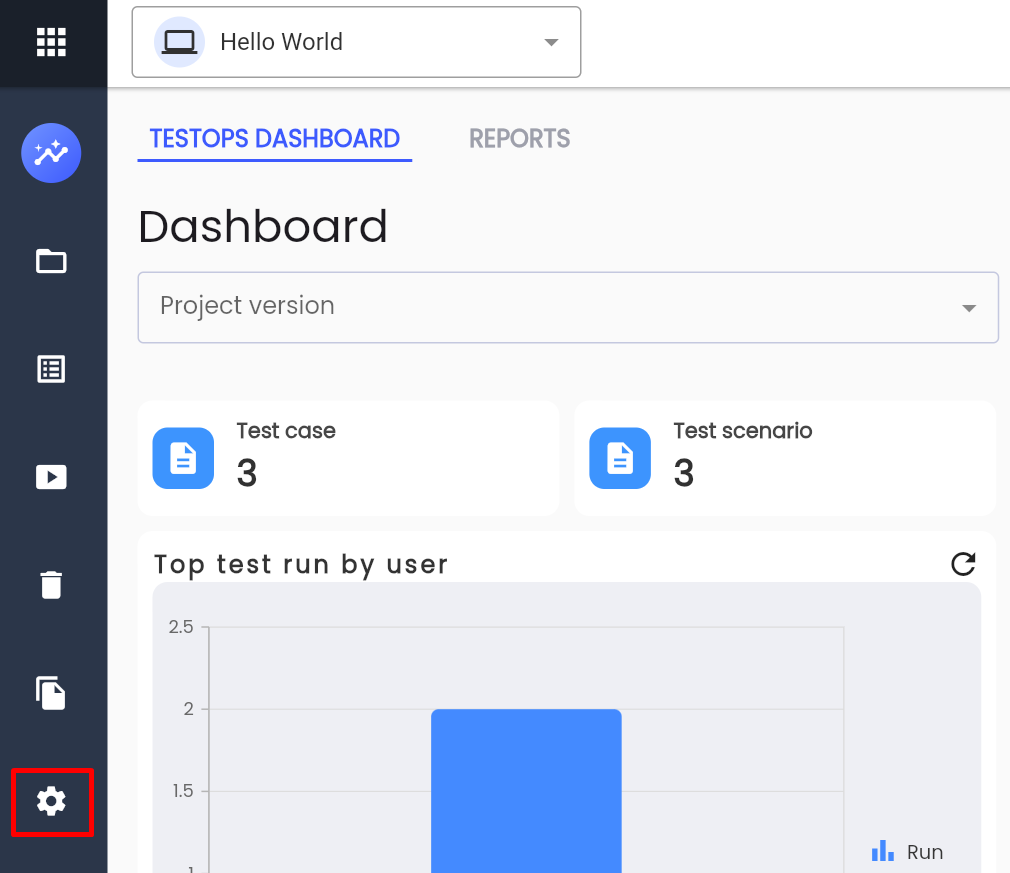
Step 1: Click SETTING in the project menu.
Step 2: Select the PROJECT tab
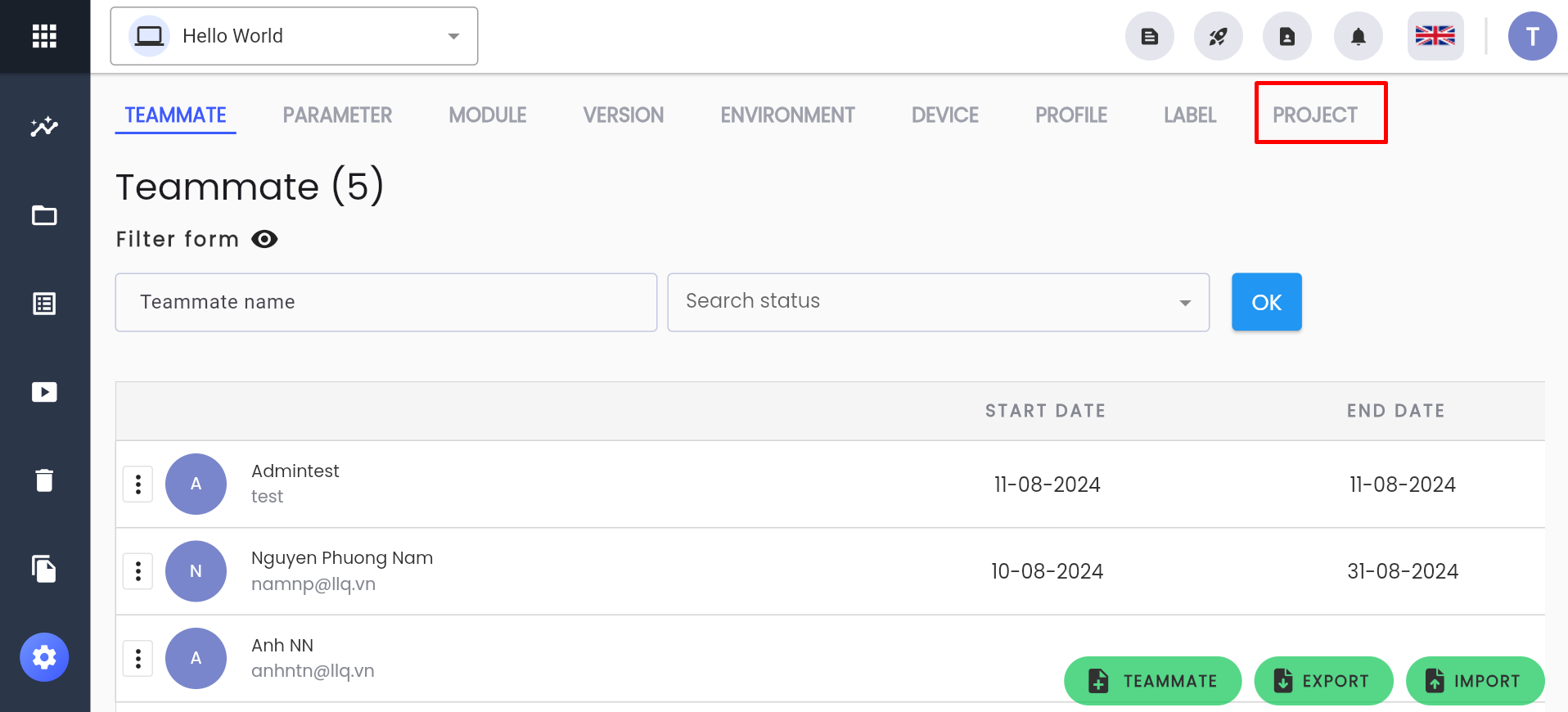
The system will display the project information for the currently selected project.
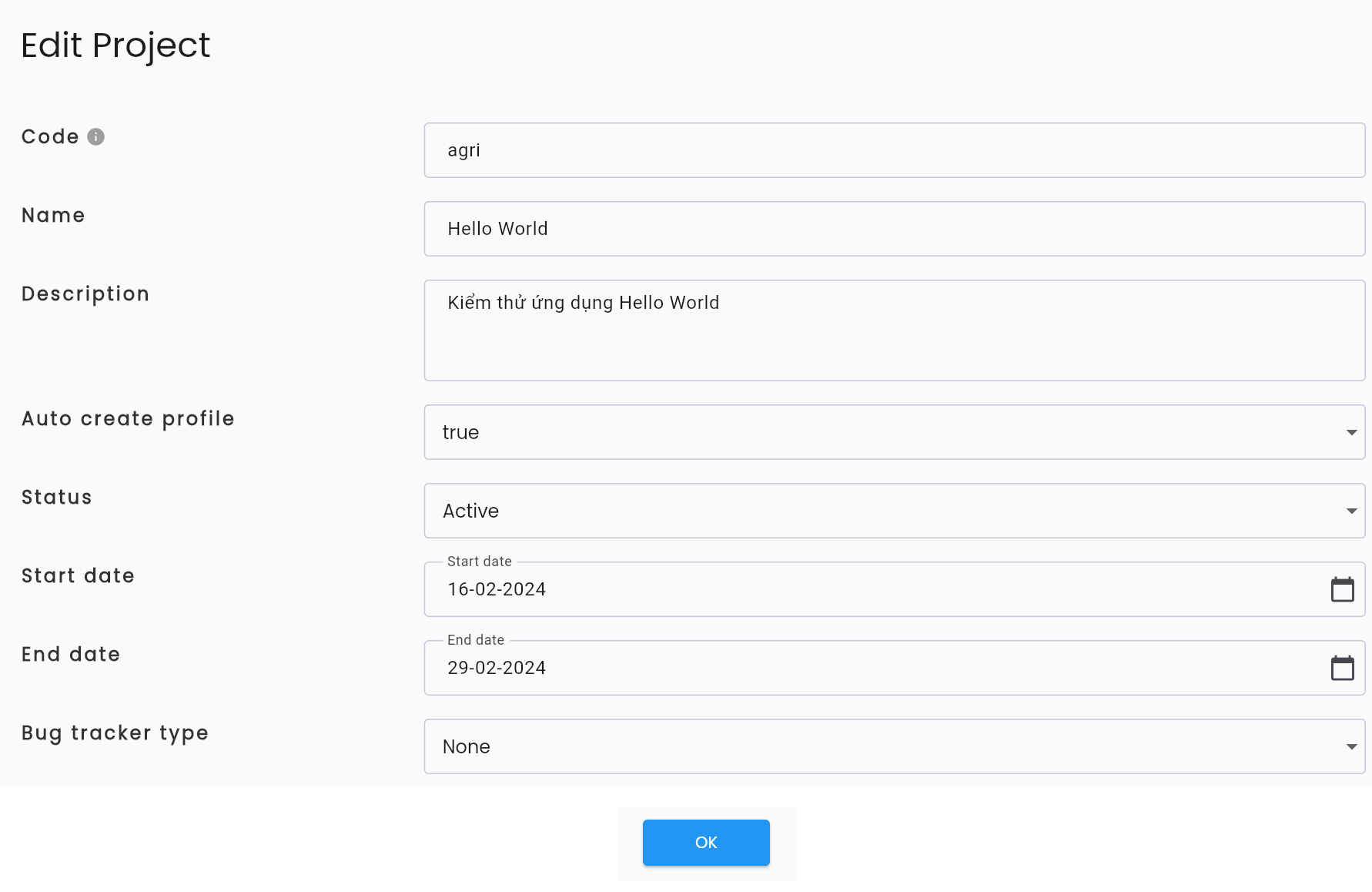
Step 3: View and edit project information as needed. Refer to the *Description of fields.
Step 4: Click SAVE. The system will display the message “UPDATE SUCCESSFUL”
Note: The CODE field cannot be edited.
[Configure Bug Tracker]
The bug tracker feature allows Centralize Automation Testing Suite to integrate with other management tools, enabling users to report bugs directly from the LLQ QA Platform after running test scripts: