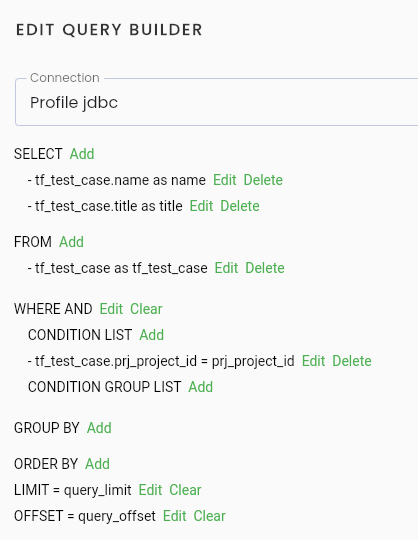
Edit Test JDBC
The operations and information fields for editing a JDBC test are similar to those for creating a new one. Please refer to the section Tạo mới một test JDBC for details.
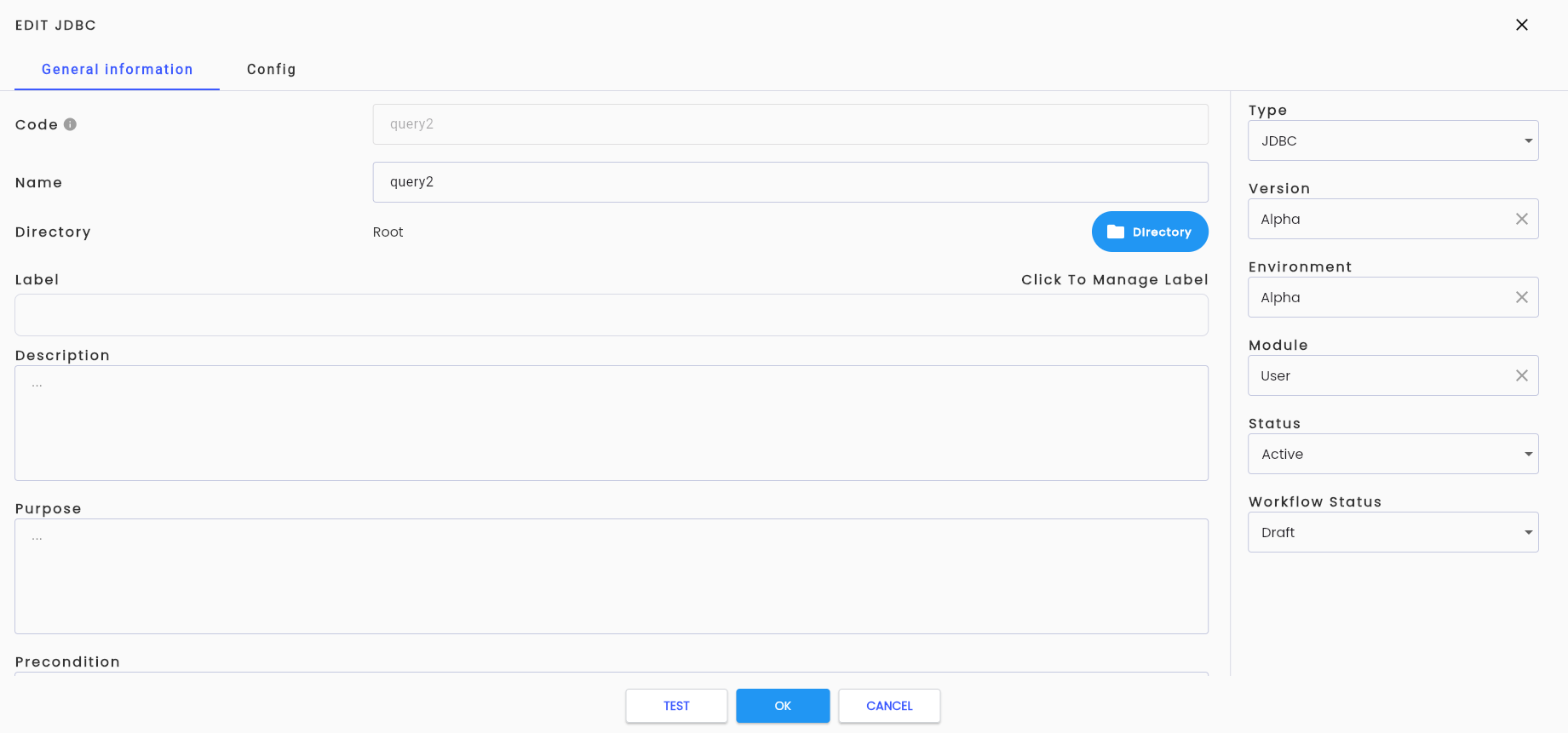
Additionally, a button  has been added for running the JDBC test.
Click the button, and the system will display the TEST RUN JDBC screen, which includes profile information and parameters declared in the Config tab.
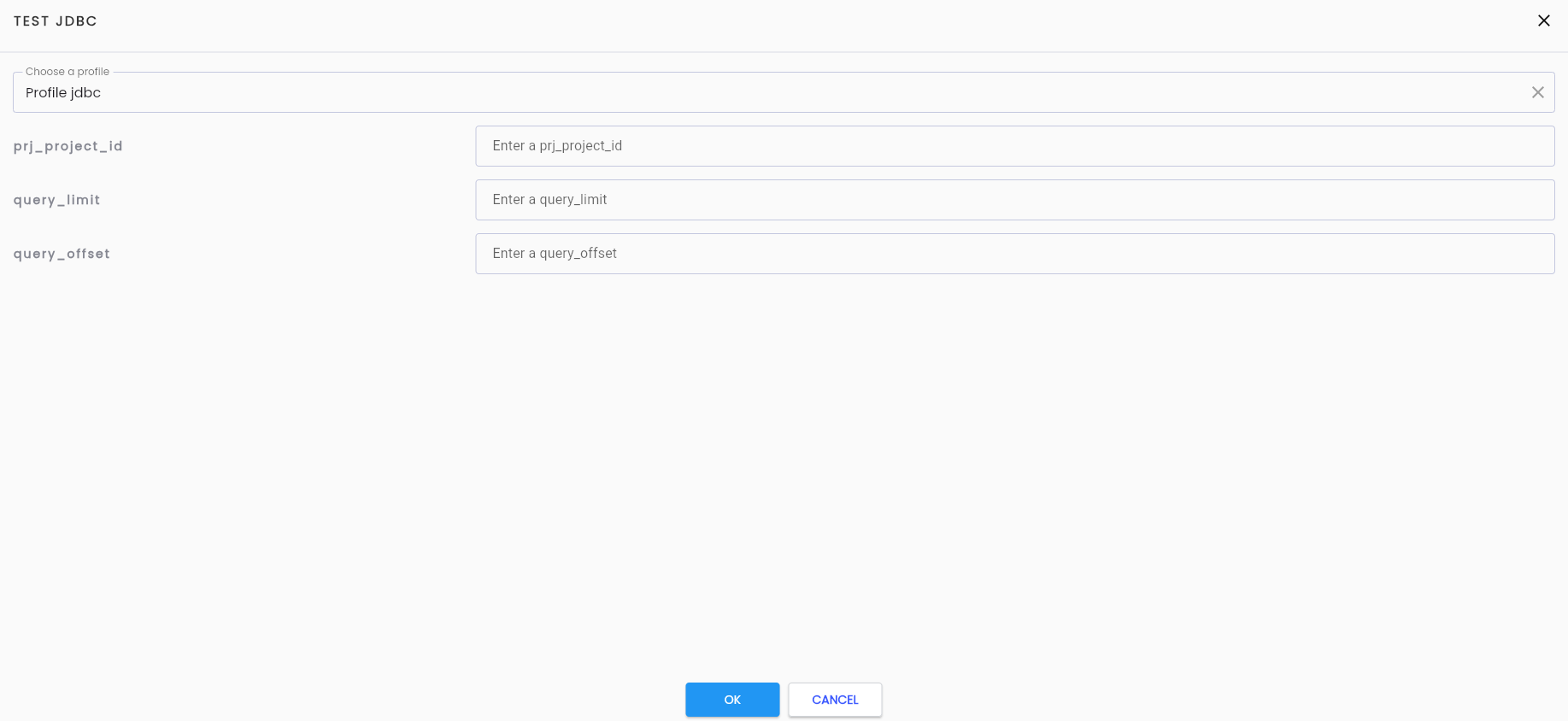
The user enters the input parameter values and clicks “OK”. The system will then run the JDBC test and show the results on the screen:
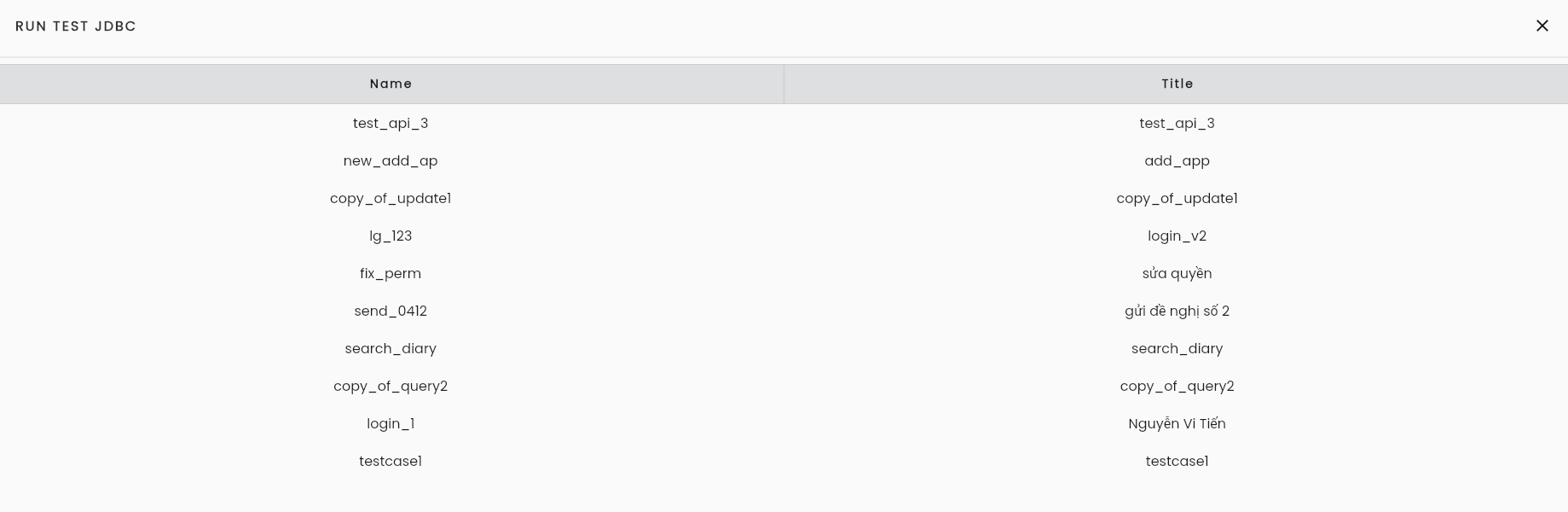
The result of running the JDBC test from a query builder configuration scenario will return the name and title.