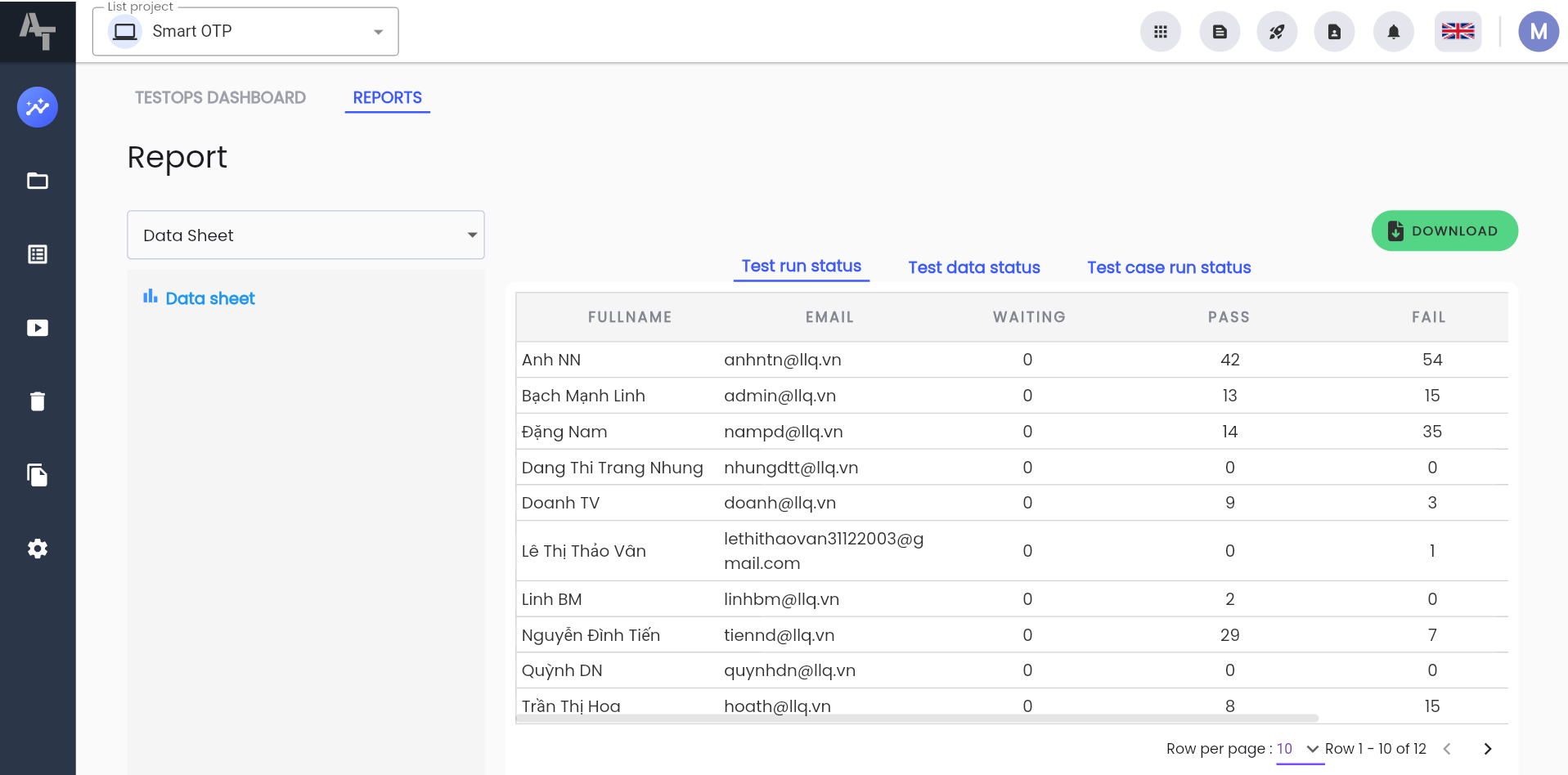
Delete Data
This function allows users to delete the results of test execution.
Filtering Delete Test Runs
Filtering in the Test Function Tabs
- Filtering in the Delete test case runs, Delete scenario, Delete suite, and Delete manual tabs is similar.
Filtering in the Delete Test Case Runs Function Screen
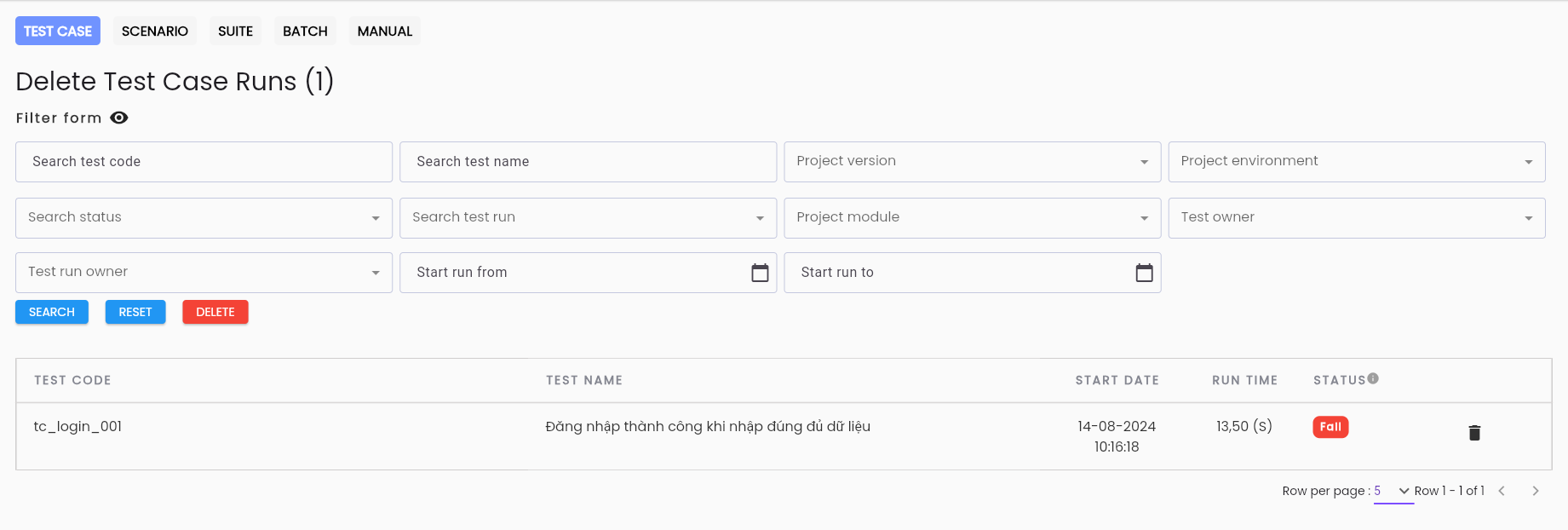
To filter, users enter the desired information fields in the search area, including:
| Information Field | Mandatory | Format | Constraints | Description |
|---|---|---|---|---|
 | - | - | - | Click button  to hide/show the search filter function to hide/show the search filter function |
| Test code | - | Text | - | Field for searching by code |
| Test name | - | Text | - | Field for searching by name |
| Project version | - | Combobox | - | Field for searching by the version of the project available in the system |
| Project environment | - | Combobox | - | Field for searching by the product development environment |
| Status | - | Combobox | - | Field for searching by status: + Pass + Fail + Waiting + Canceled + Error + Processing |
| Project module | - | Combobox | - | Field for searching by the component of the project |
| Test owner | - | Combobox | - | Field for searching by the creator of the scenario |
| Test run owner | - | Combobox | - | Field for searching by the creator of the test run |
| Start run from | - | Date | - | Field for searching by the execution date from which |
| Start run to | - | Date | - | Field for searching by the execution date to which |
 | - | Button | - | Click the button to search for test execution results based on the entered filter conditions |
 | - | Button | - | Click the button to clear the previous filter conditions |
 | - | Button | - | Click the button to delete all test execution results found in the information grid |
The result list of test scenarios in the project:

In there:
| Information Field | Description |
|---|---|
 | Click the button to delete a test execution result |
| TEST CODE | Code of the test scenario |
| NAME | Name of the test scenario |
| START DATE | Start time of the test scenario execution |
| RUN TIME | Total execution time of the test scenario |
| STATUS | Status of the run |
Note: All test execution results can be deleted in the Delete Data function when the execution forms are “Draft”; the “Complete” form cannot be deleted.
Filtering in the BATCH Tab
Delete Test Batch Runs is a list that includes data for test types that are BATCH.
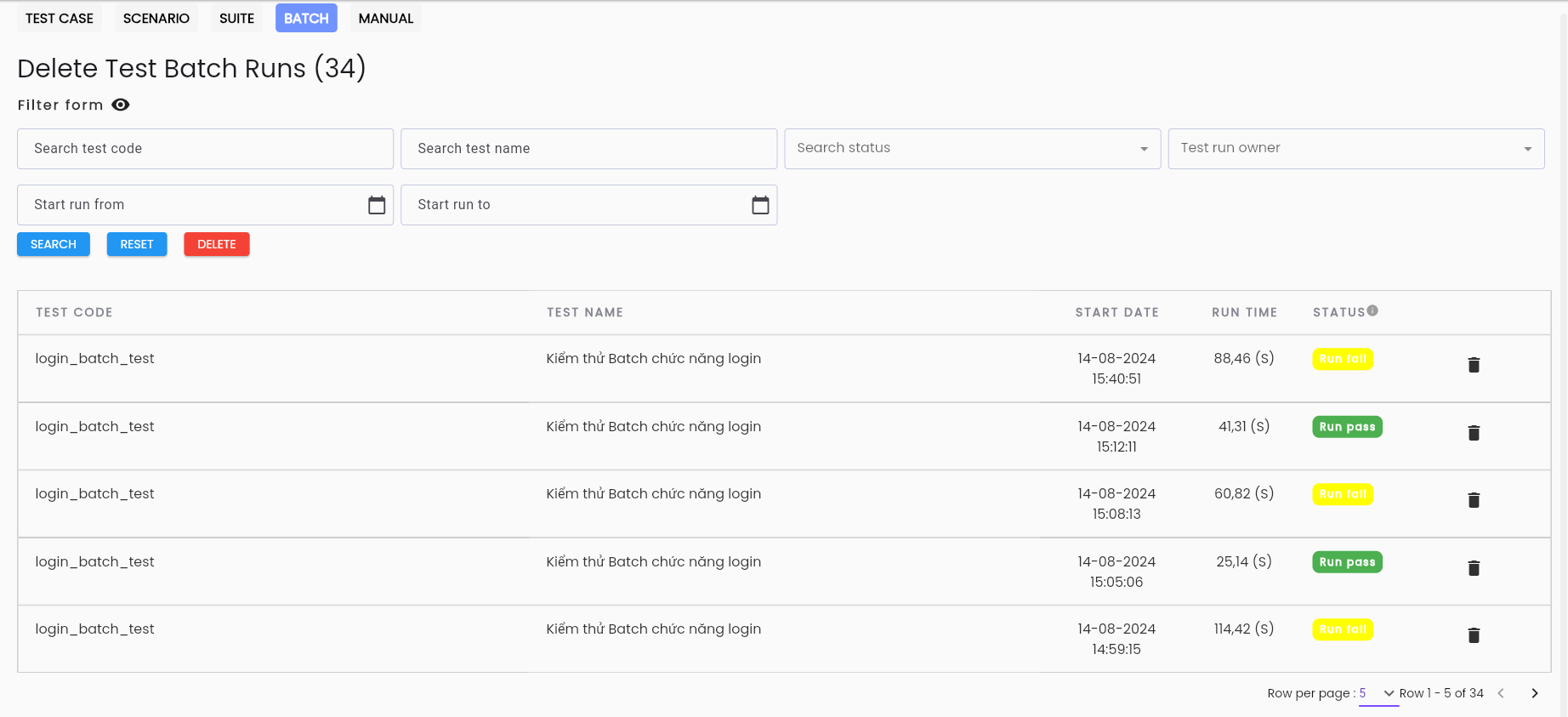
To filter, users enter the desired information fields in the search area:
referring to the section Filtering at the DELETE TEST functions tab with the fields appearing in the DELETE TEST BATCH RUNS tab.
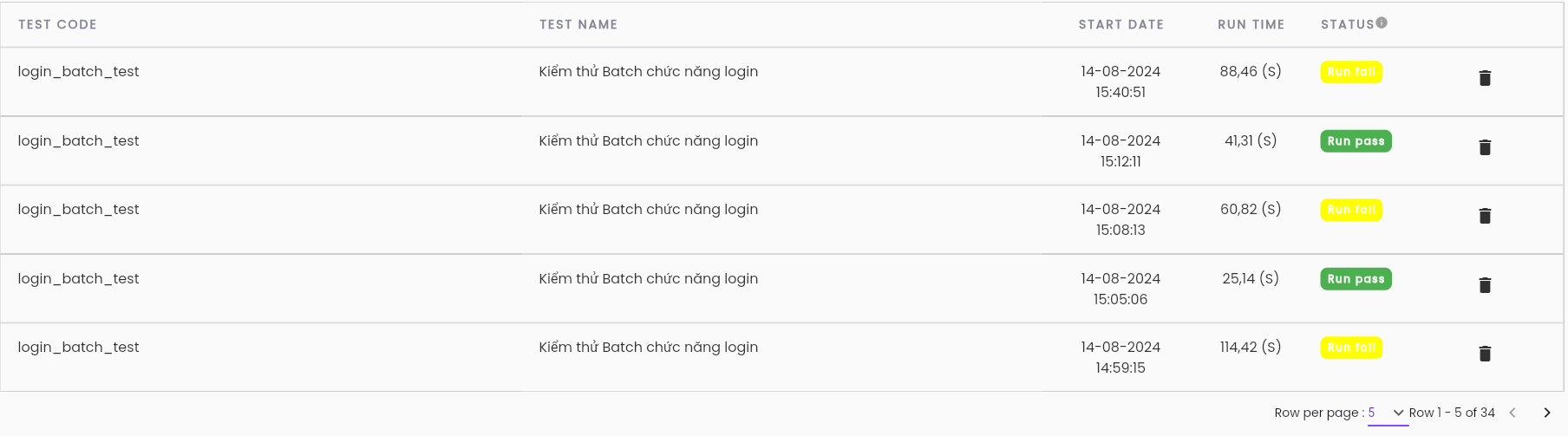
The result list of test scenarios in the project:
| Information Field | Description |
|---|---|
| Click the button to delete a test execution result |
| TEST CODE | Code of the Batch test scenario |
| NAME | Name of the Batch test scenario |
| START DATE | Start time of the batch test scenario execution |
| RUN TIME | Total execution time of the batch test scenario |
| STATUS | Status of the batch test scenario execution |
Deleting Execution Data
Step 1: Perform a search for the run through the filter.
Bước 2: After correctly searching for the run to delete, click the Delete button to delete the runs.
Note: To delete a single execution, the user clicks the Delete icon corresponding to that execution.
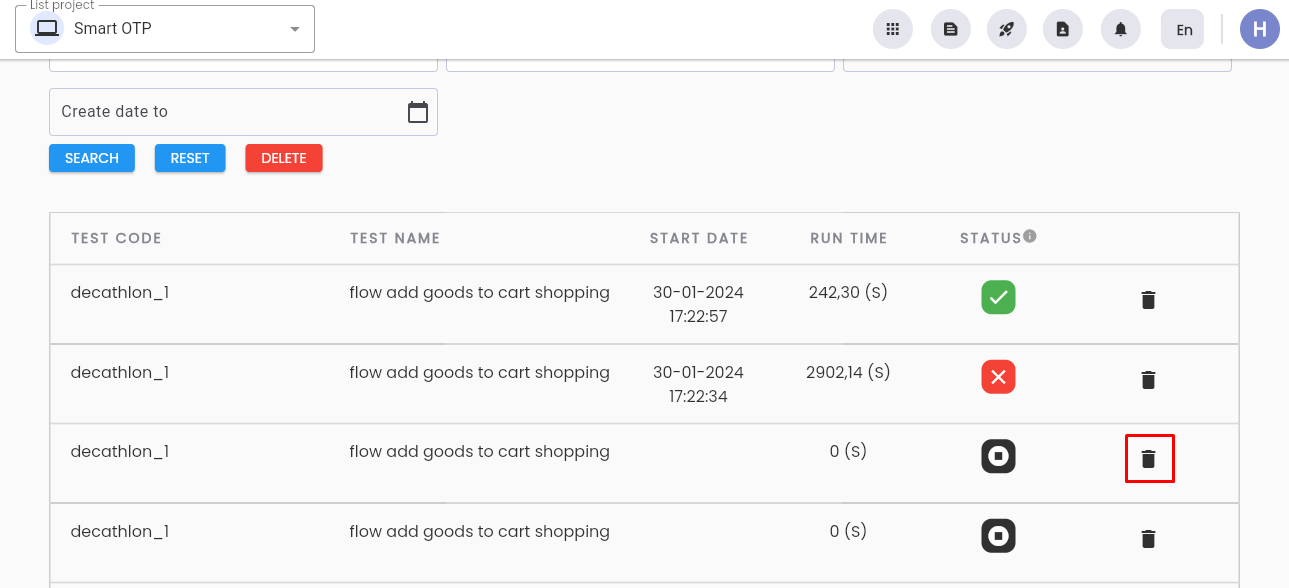
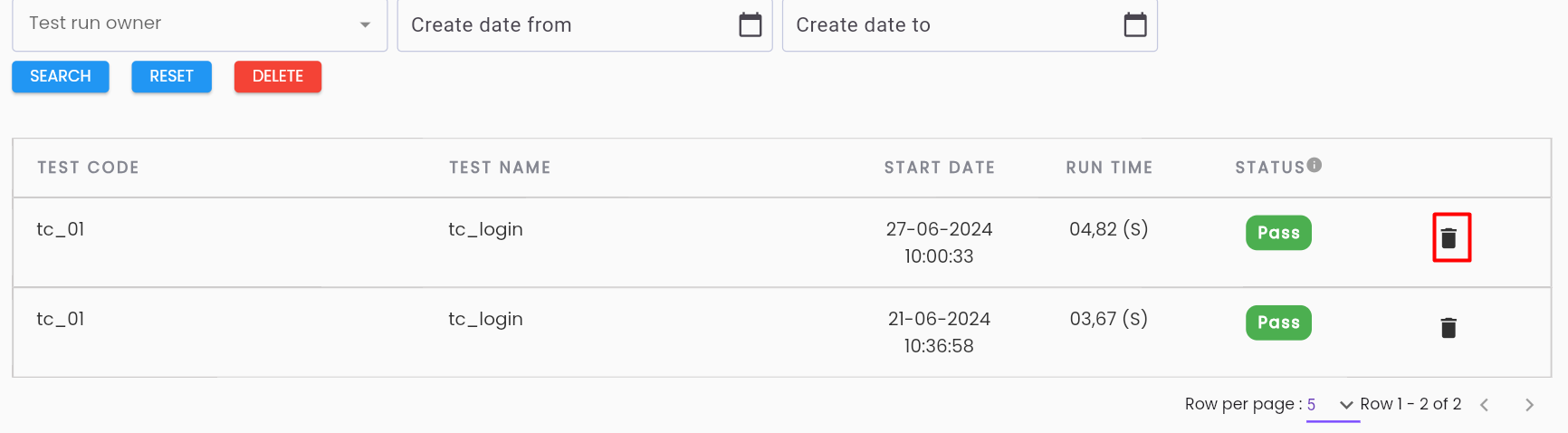
The system will notify “Delete successful” and simultaneously delete the item from the test execution data list.
The system will delete the entire list of runs if the user clicks the Delete button before performing a search for the run.