Duplicate API
Copy API from API Explorer. When copying an API, all information, both configuration and description, is copied:
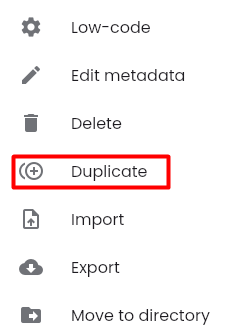
Step 1: Click button  corresponding to the test scenario you want to duplicate, select “Duplicate”.
Step 2: The fields on the "Duplicate API" screen are all copied, referencing the information fields from the section Create API test
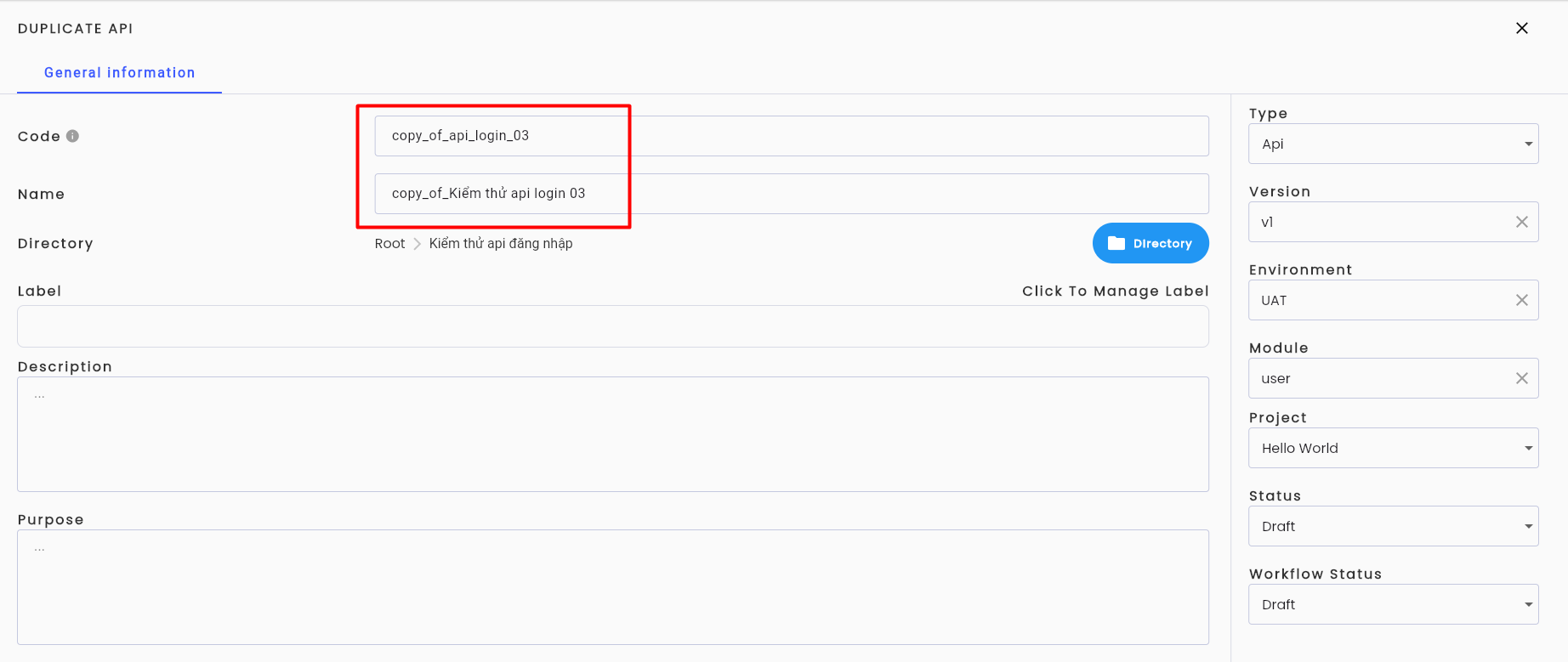
Except:
| Field Name | Mandatory | Format | Constraints | Description |
|---|---|---|---|---|
| Code | No | Text | Nếu nhập thì Code phải là duy nhất, độ dài tối thiểu 2 ký tự, bắt đầu bằng chữ cái, chỉ chứa các ký tự từ a-z (viết thường, viết hoa), chữ số, "_" và "-" | Code của project duplicate sẽ mặc định được hệ thống chỉnh sửa thành “copy_of_” + code của project được dùng để nhân bản. Người dùng có thể chỉnh sửa hoặc nếu người dùng không nhập Code hệ thống sẽ tự sinh mã theo công thức T-STT VD: T-1 |
| Name | Yes | Text | The Name of the duplicate project will be automatically updated by the system to “copy_of_” + the name of the project being duplicated. Users can edit it. | |
| Metadata Configuration Information | ||||
| Project | Yes | Combobox | Displays a list of projects on the system that the user is involved in. Users can duplicate the API from different projects. | |
| Status | Yes | Combobox | Allows users to select one of three values: Draft/ Active/ Review. | |
| Workflow Status | Yes | Combobox | Allows users to select one of four values: Draft/ Reject/ Active/ Review. |
Step 3: Click “OK”. Notification system  the API is copied and displayed in the selected project's API Explorer.