Create API test
Step 1: On the API test library screen, click “NEW TEST”
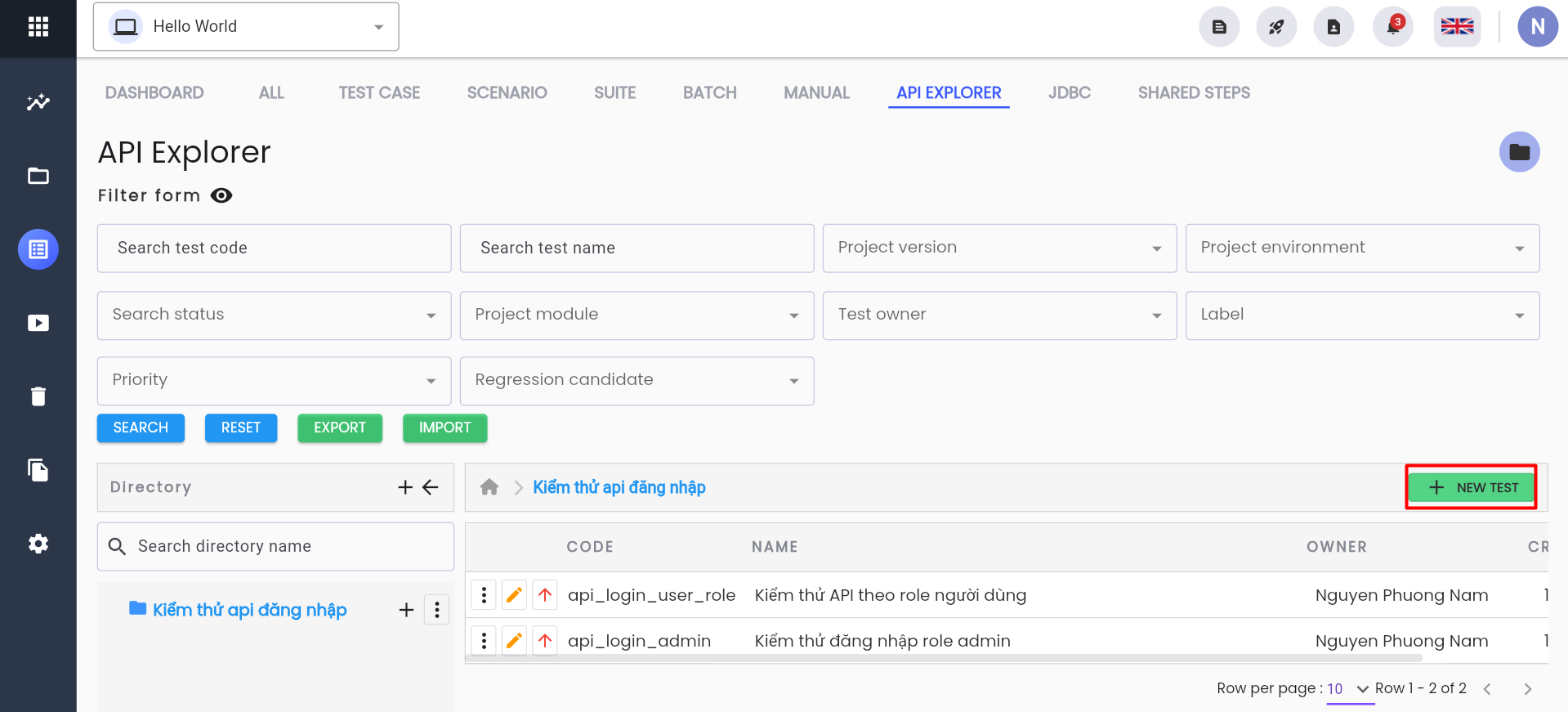
The system displays the “CREATE API” screen
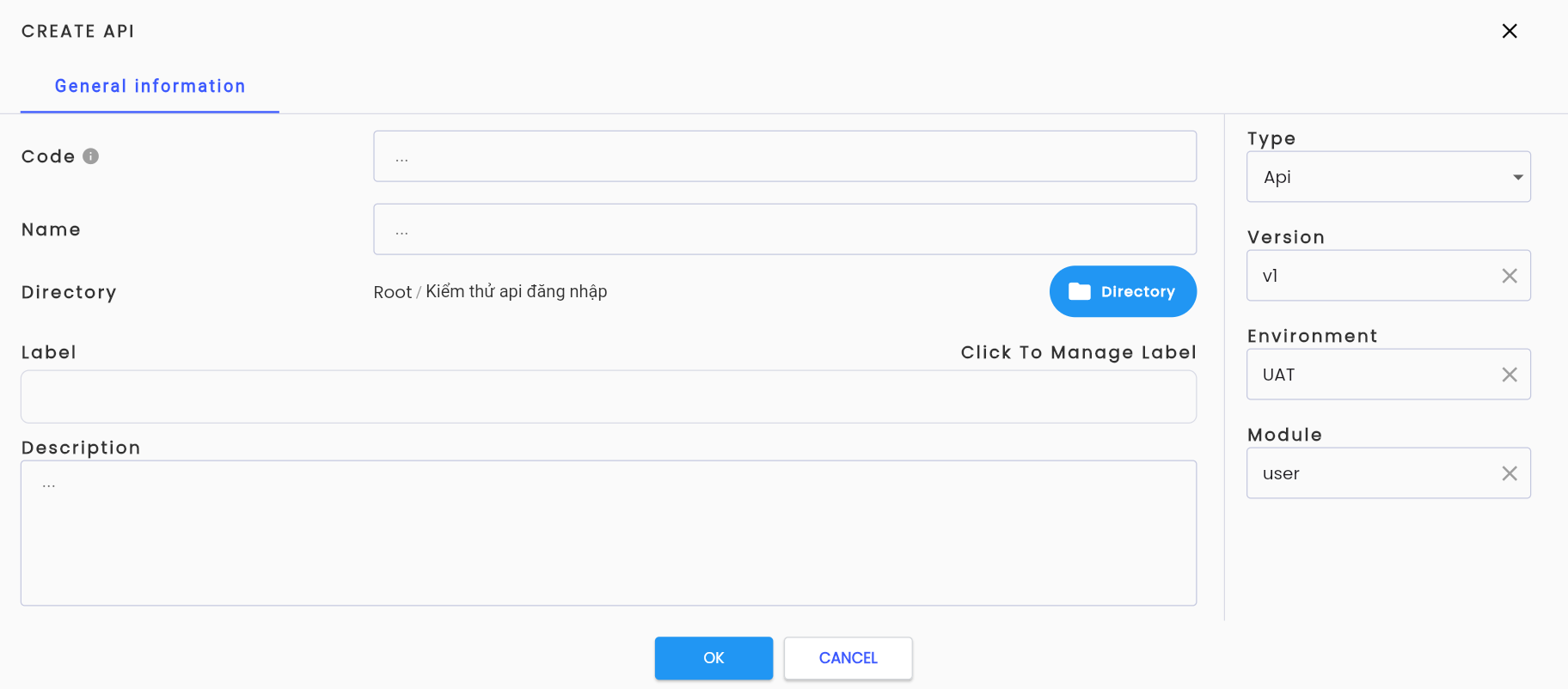
Step 2: Fill in all required information fields completely and validly, including:
| Field Name | Mandatory | Format | Constraints | Description |
|---|---|---|---|---|
| Tab General information General information about an API. Similar to Test Scenario, refer to the section Tạo mới một test scenario | ||||
| OK | - | Button | Click the button, the system validates the information. If successful, the API is saved and displayed in the API list grid of the selected directory | |
| CANCEL | - | Button | Click the button to cancel the API creation process. The system resets the form and returns to the API library screen. |
Step 3: Click “OK”, and the system displays a notification: “Create successful”