Smart Locator tool
Where Do Elements in the Repository Come From? This section will answer that question for you.
Smart Locator is a tool used to analyze elements on the test application screen and automatically create elements with complete information into the repository.
Note: To use Smart Locator, it is required to start debugging and the Agent browser interface must be displaying the screen containing the element the user wants to create.
How to use Smart Locator to automatically create elements in the repository is as follows:
Step 1: On the configuration screen, click View Screenshot.
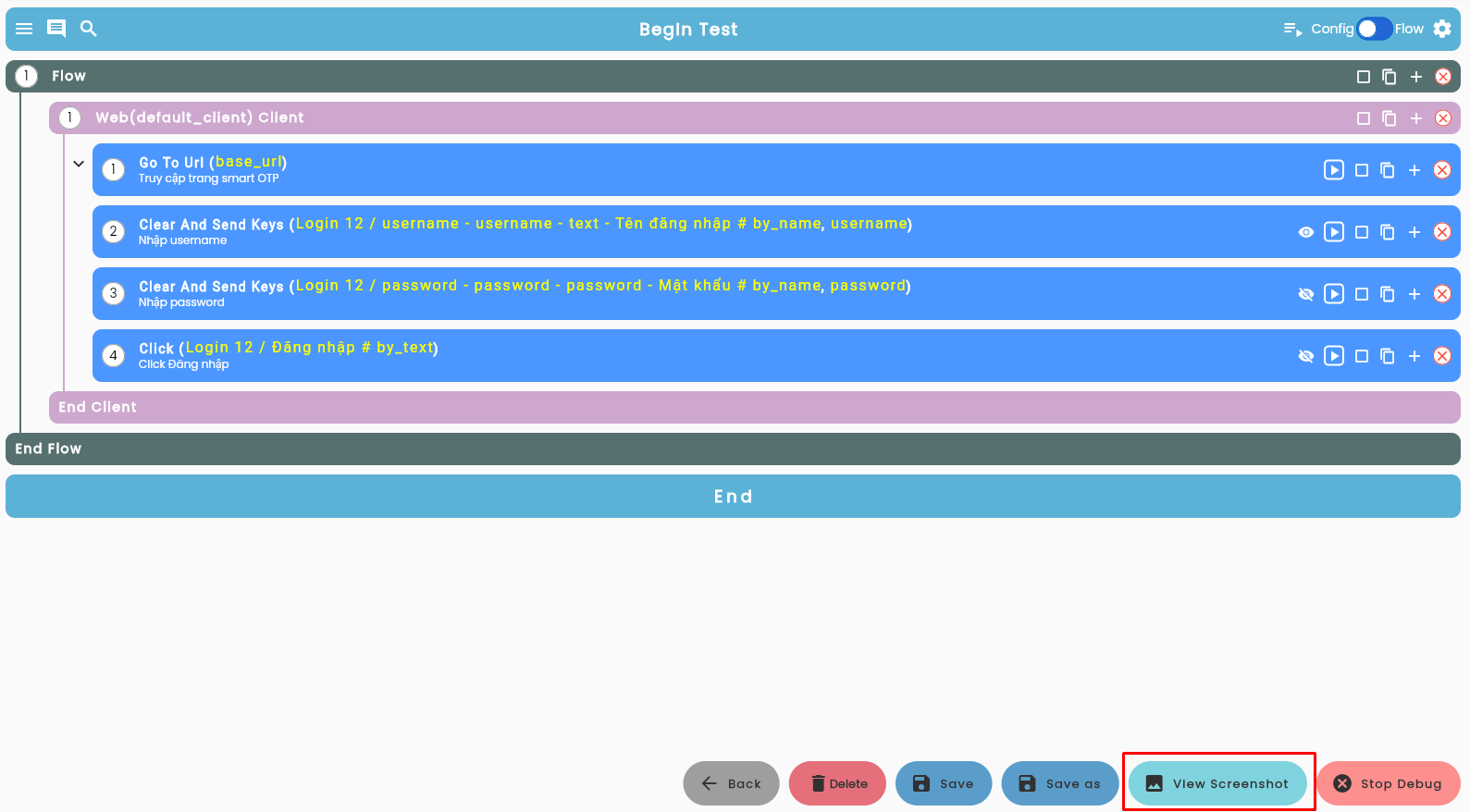
The following interface will appear after clicking View Screenshot:
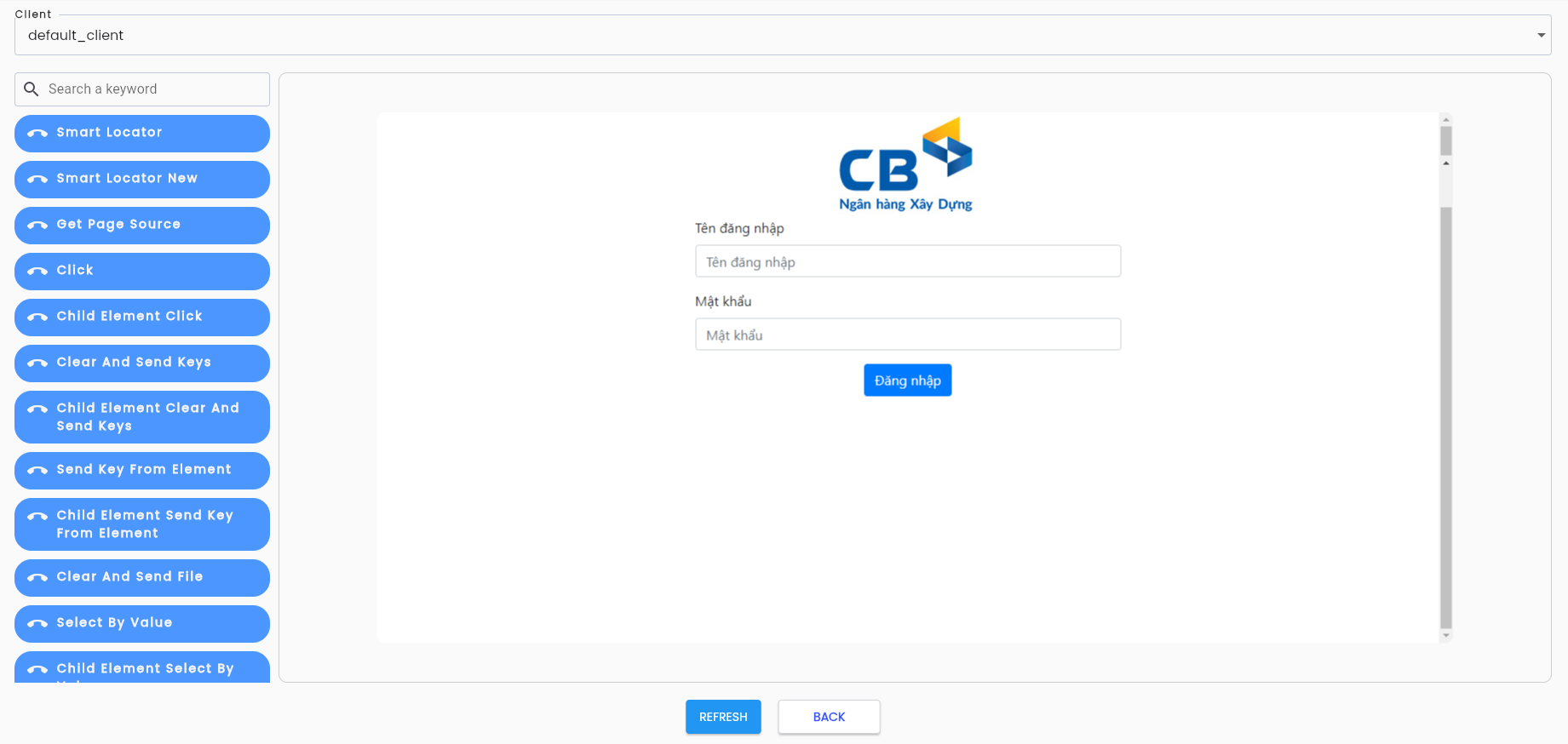
Screen Description:
- Left Panel: Contains the Smart Locator tool and a list of keywords for navigating the test application.
- Right Panel: Displays the current screen from the Agent browser.
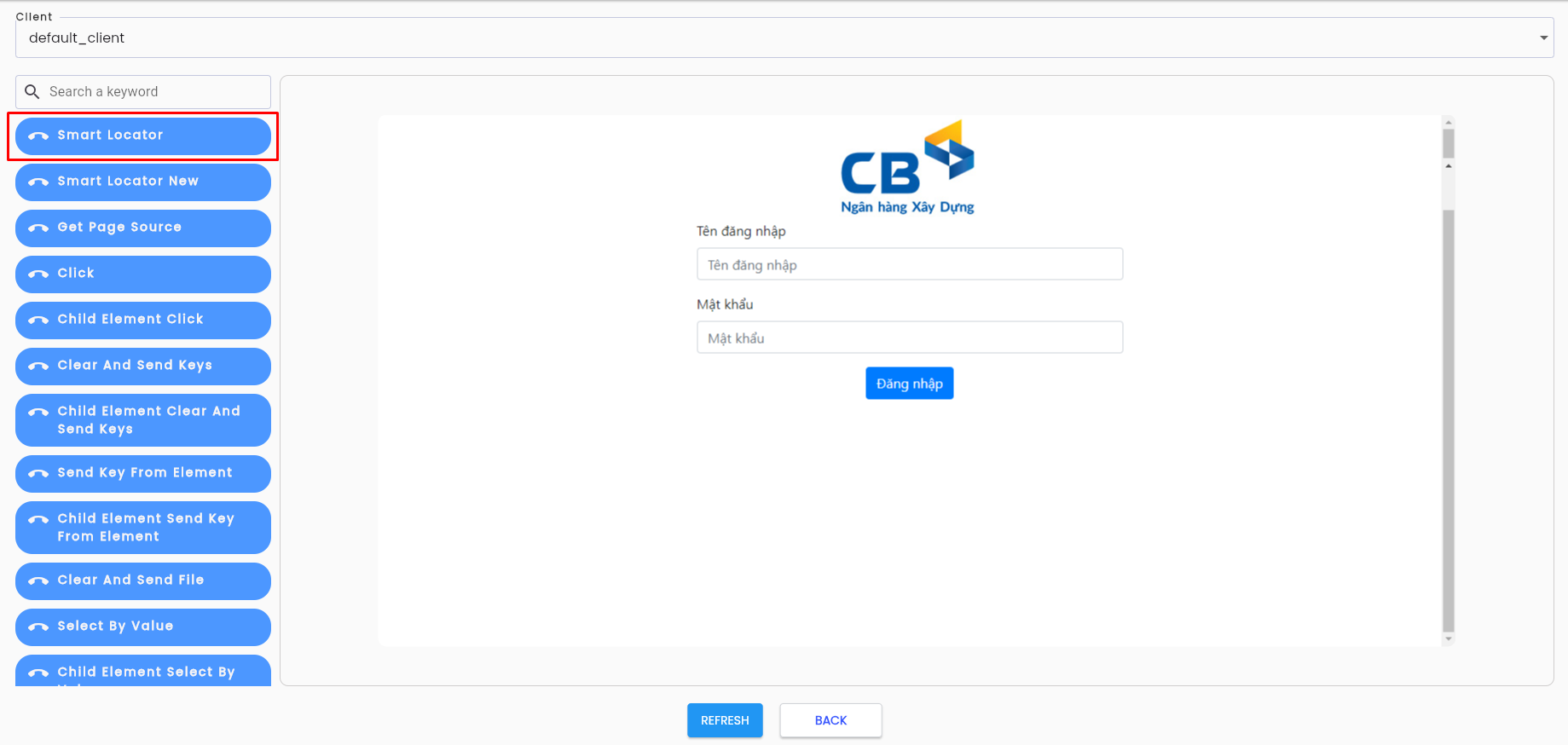
Step 2: Click on the Smart Locator tool in the left panel.
Step 3: Select the Project Type.
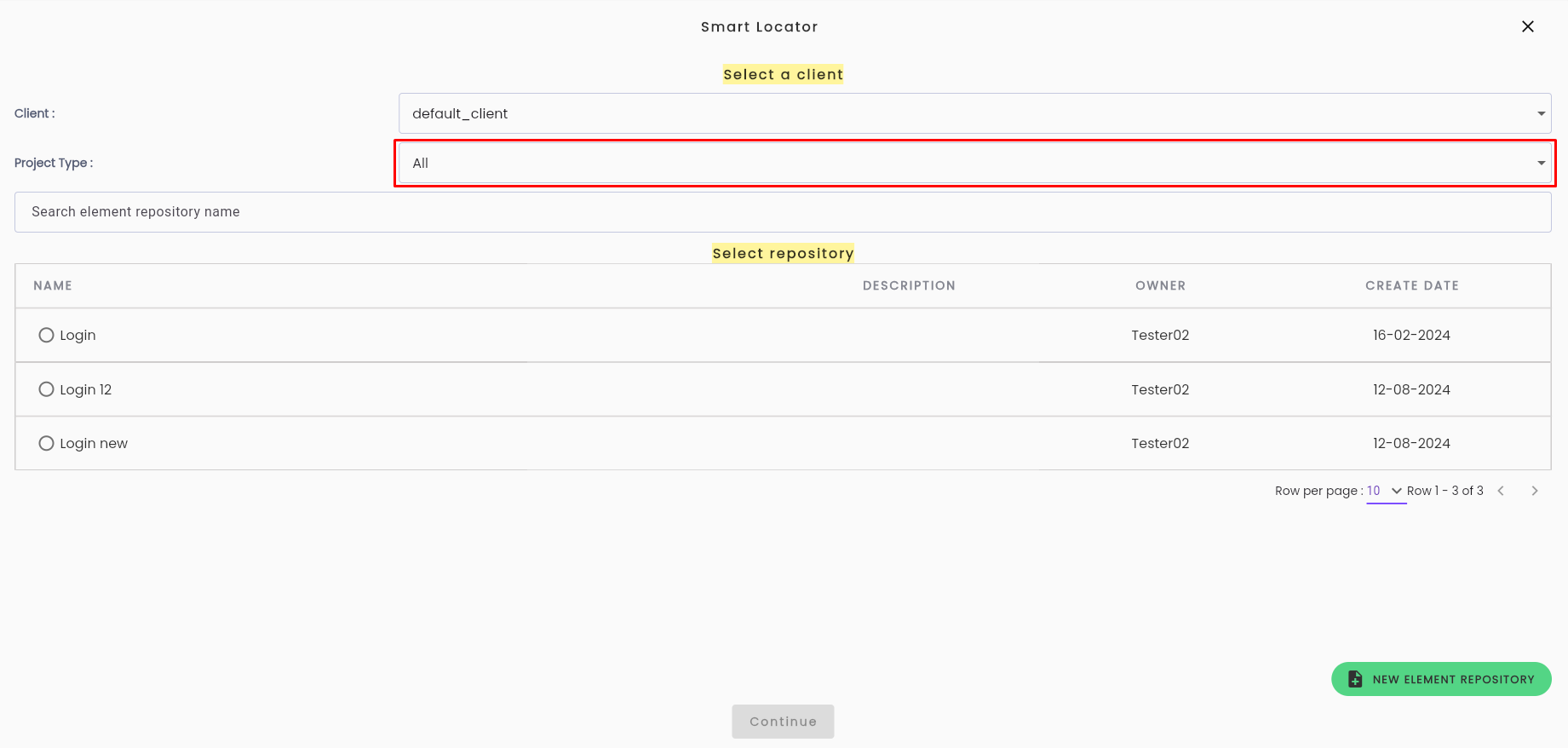
Project Type refers to the type of project being analyzed. Tìm hiểu thêm về Project Type
Step 4: Choose an Analyze type:
- Insert Only: Creates new elements only.
- Update healing: Updates the XPath and attribute information for existing elements.
- Inset Update healing: Creates new elements and updates the attributes and XPath of existing elements.
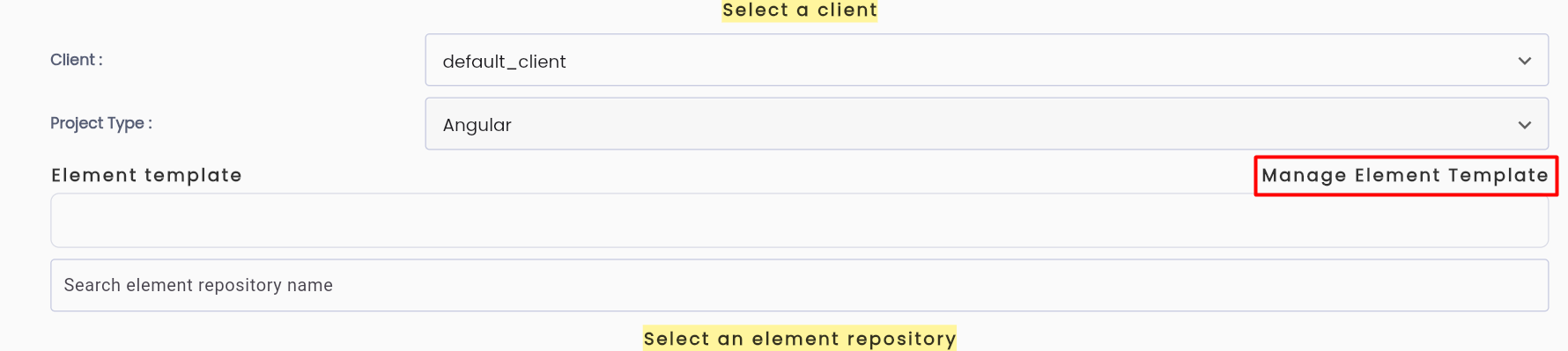
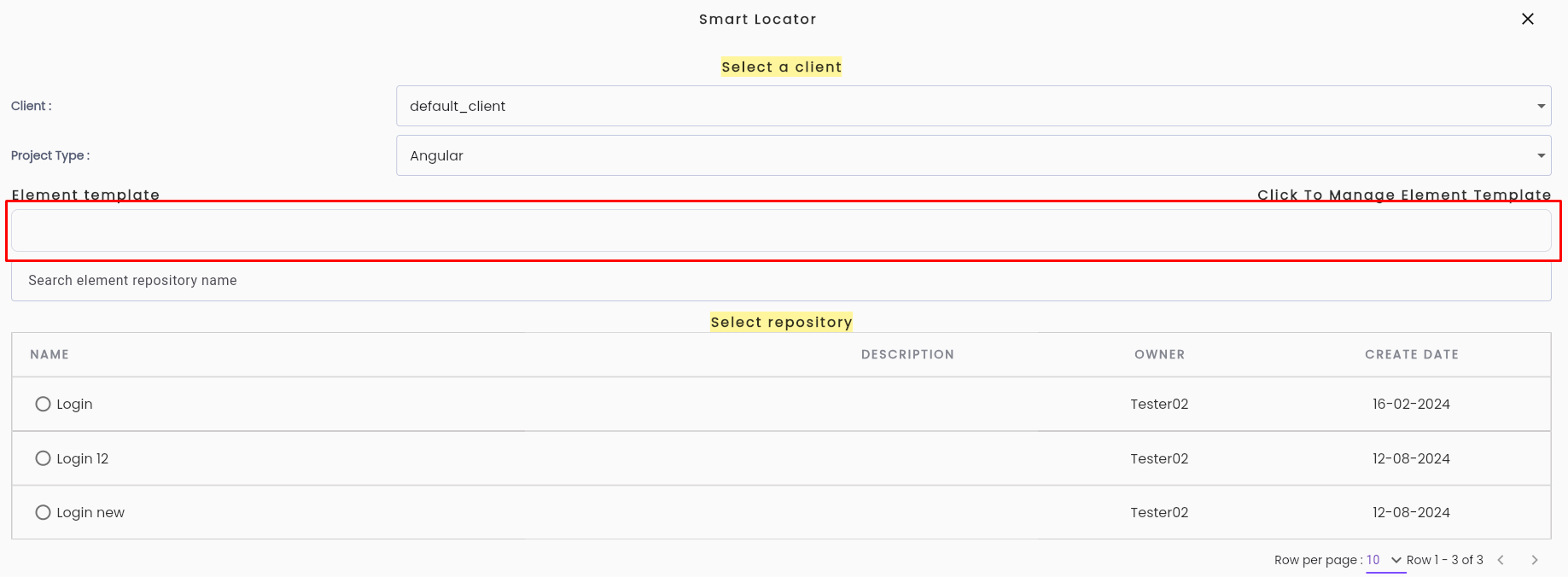
Step 5: Select an Element Template by clicking the link Manage Element Template or the data field for the template.
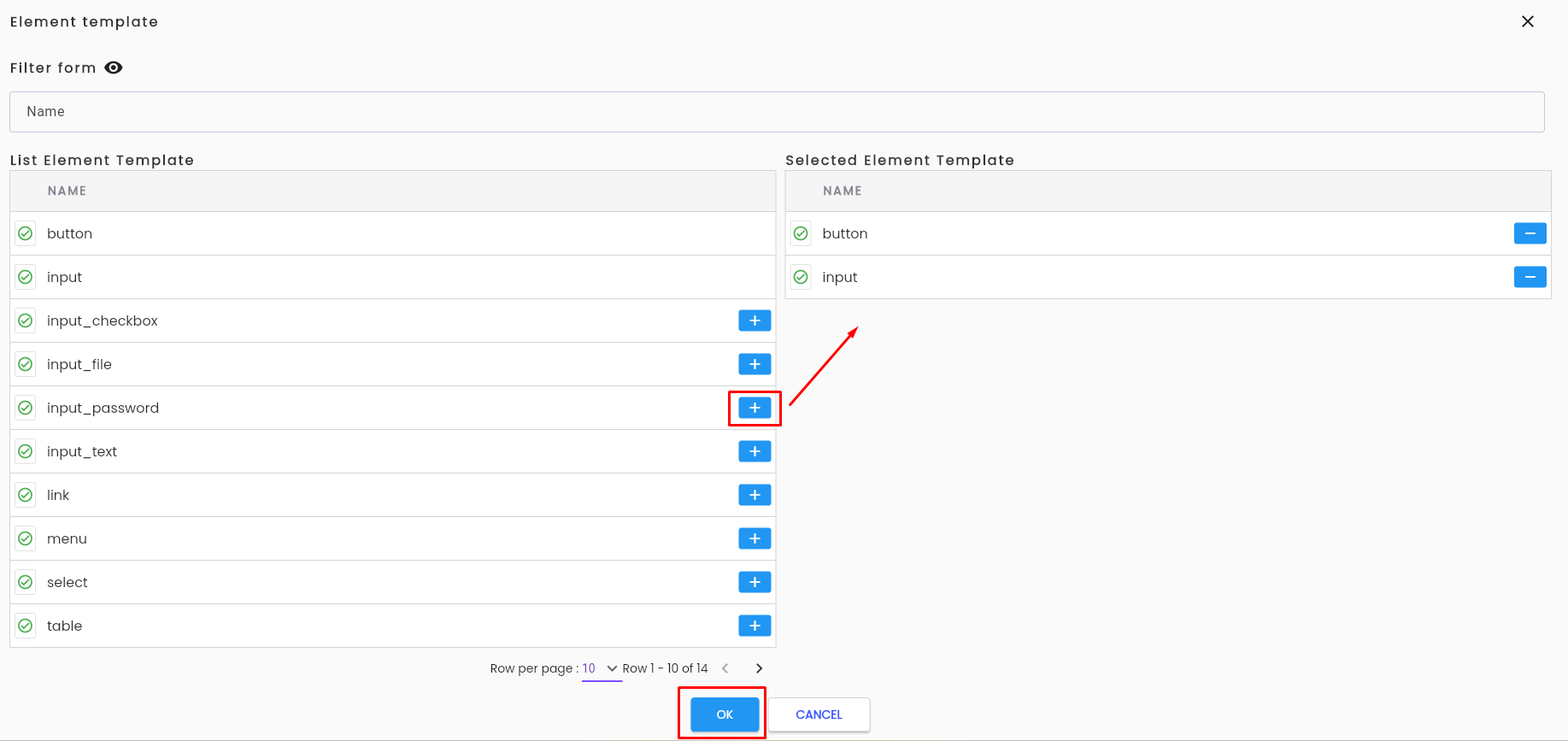
Step 6: Click the "+" button to select the types of elements to analyze on the screen, then click “OK”.
Step 7: Select the repository to save the elements.
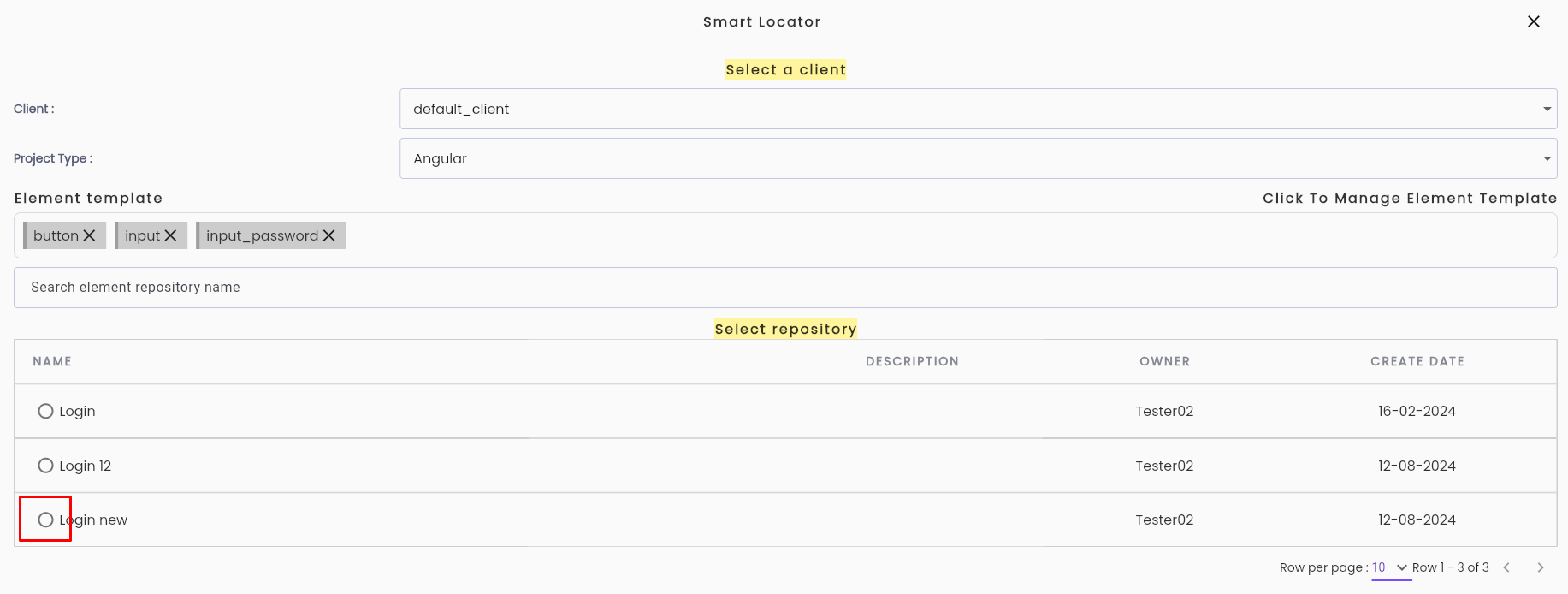
Note: If you wish to select a subfolder, click on the parent folder.

Click the breadcrumb navigation above the data table to return to a previous folder.

Step 8: Click Continue to begin the analysis.
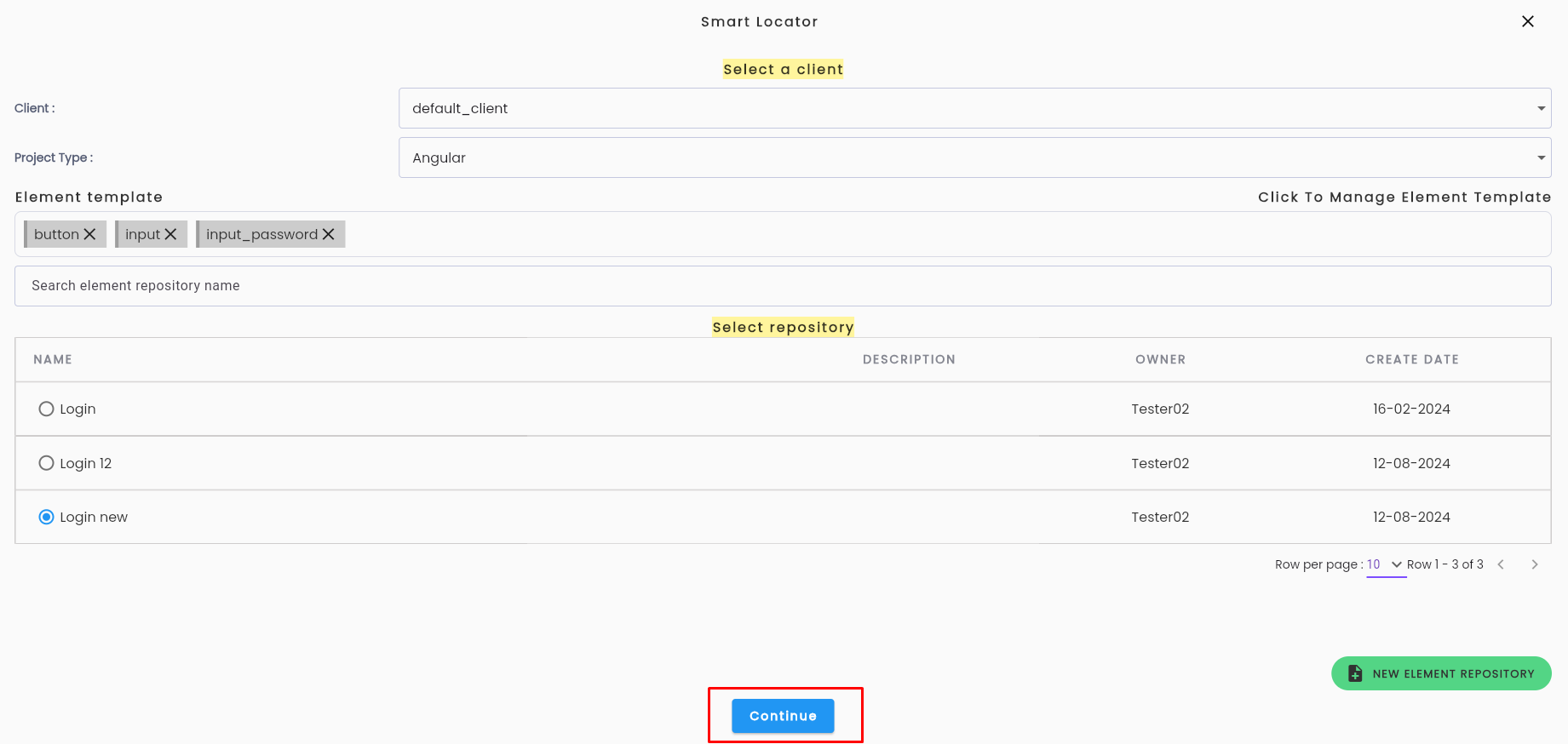
Wait for the system to complete the analysis.
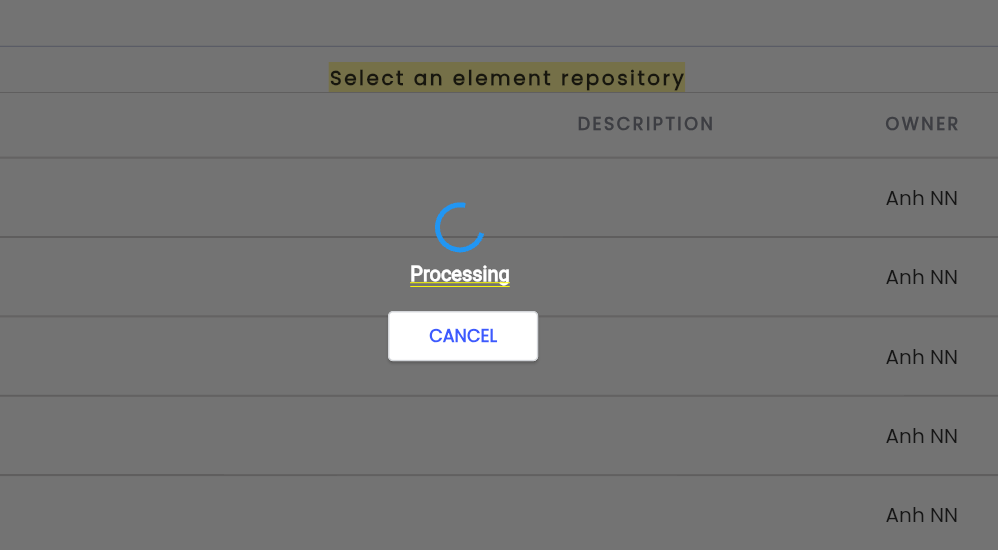
Note: Once the analysis is complete, check the repository to verify the automatically created elements. If the number of elements is large, allow 15–30 seconds for all elements to appear.
Element Template refers to types of elements, such as input fields, buttons, and dropdowns. Tìm hiểu thêm về Element Template.