Using Element Repository in Config Scenario
In the scenario configuration, the system defaults the value type as Value and the data type of the XPath in each keyword with the locator attribute set to "Repository Element."
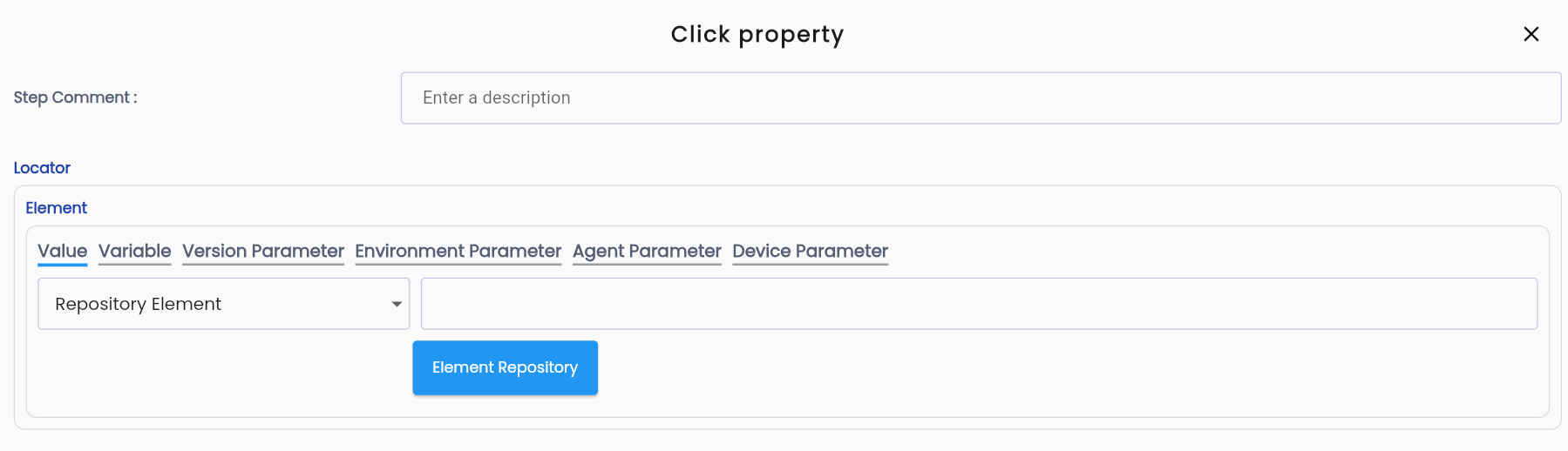
Step 1: Click the Element Repository button. The system displays the screen to select a Repository.
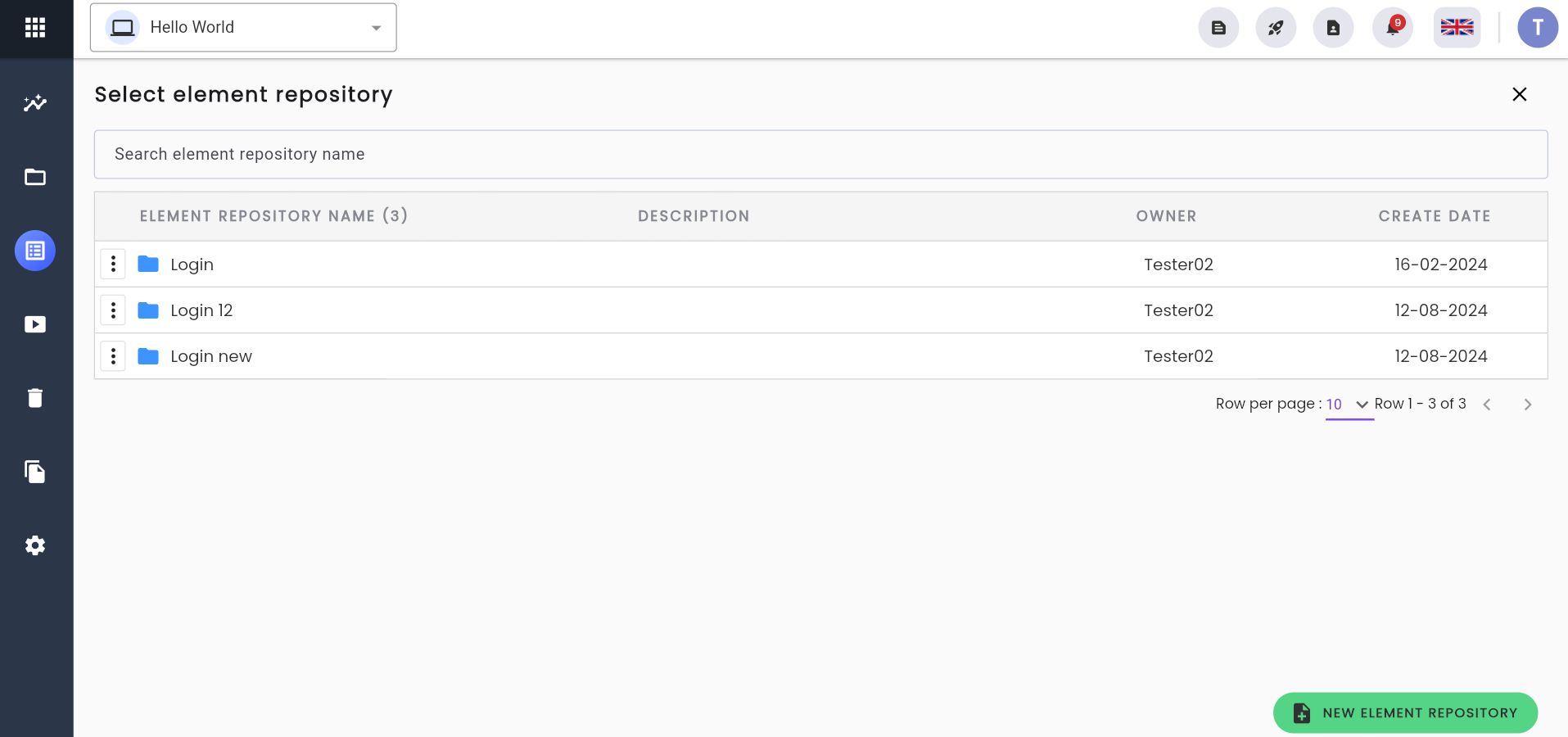
Step 2: Click on the folder containing the element you want to use. The system will display the list of Child Element Repositories and the elements not located within a child repository.
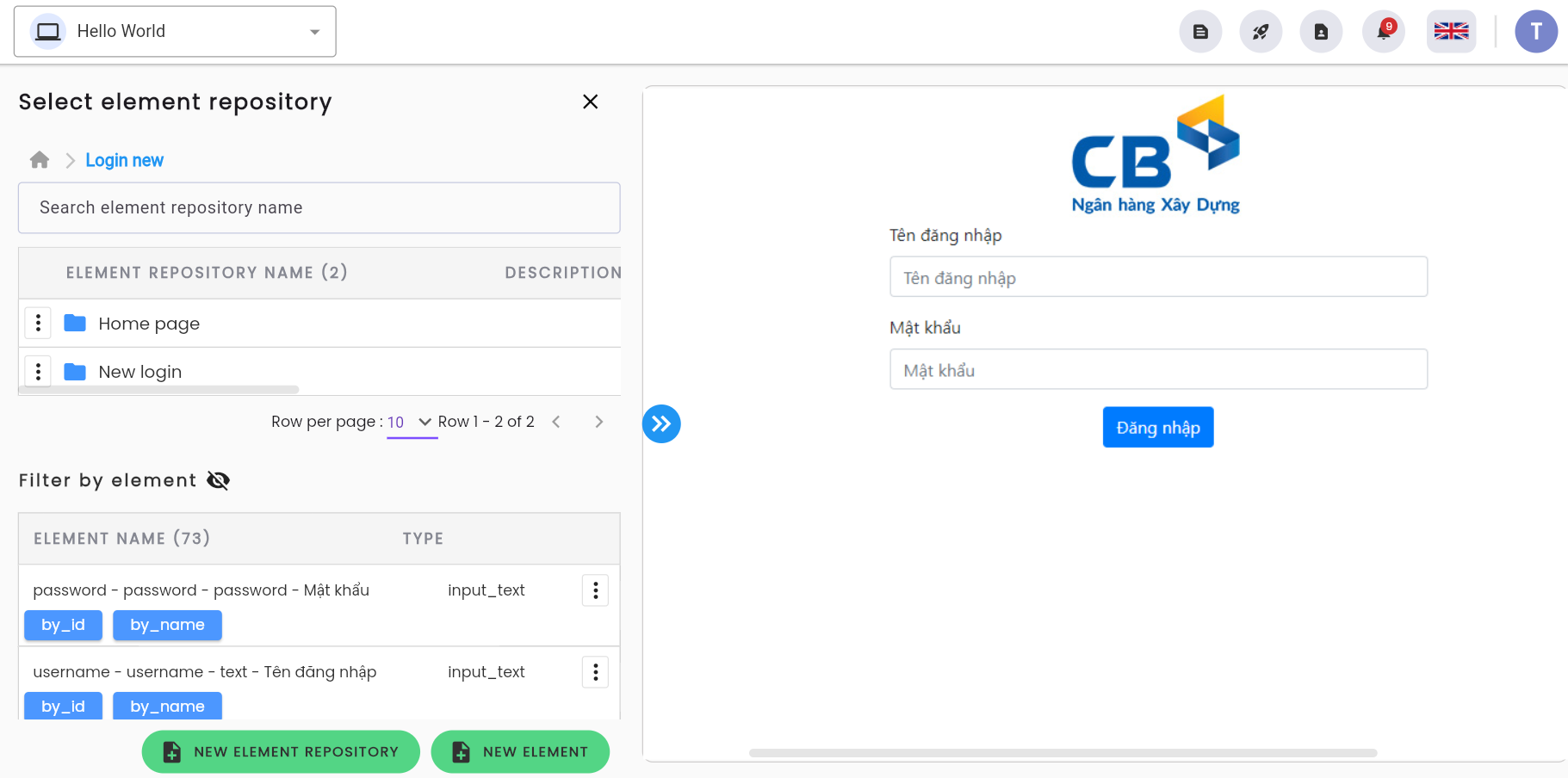
Step 3: The user clicks the button and selects the template to retrieve the corresponding XPath for the desired element, or clicks on the Child Repository to locate an element suitable for the scenario being executed and selects the element.
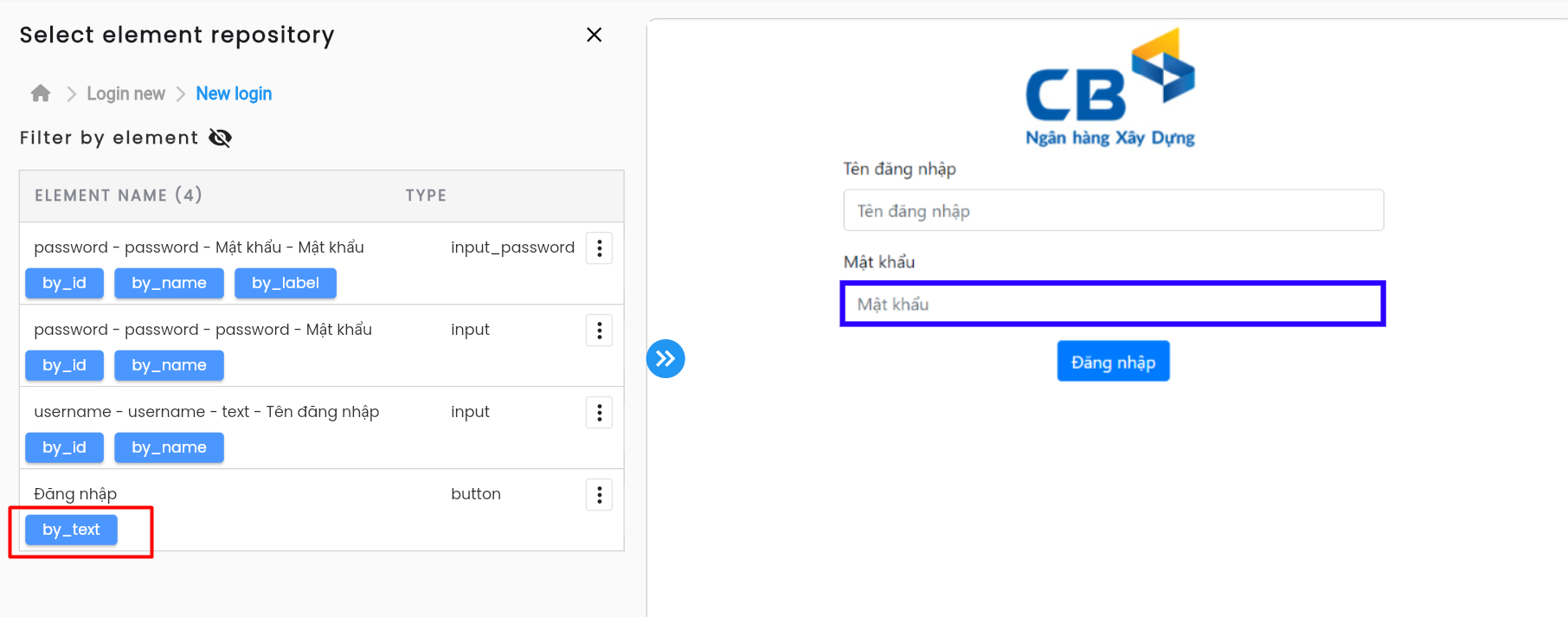
Step 4: The system returns to the scenario's keyword configuration screen, with the Value field displaying the position of the element in the Element Repository and the element's name.
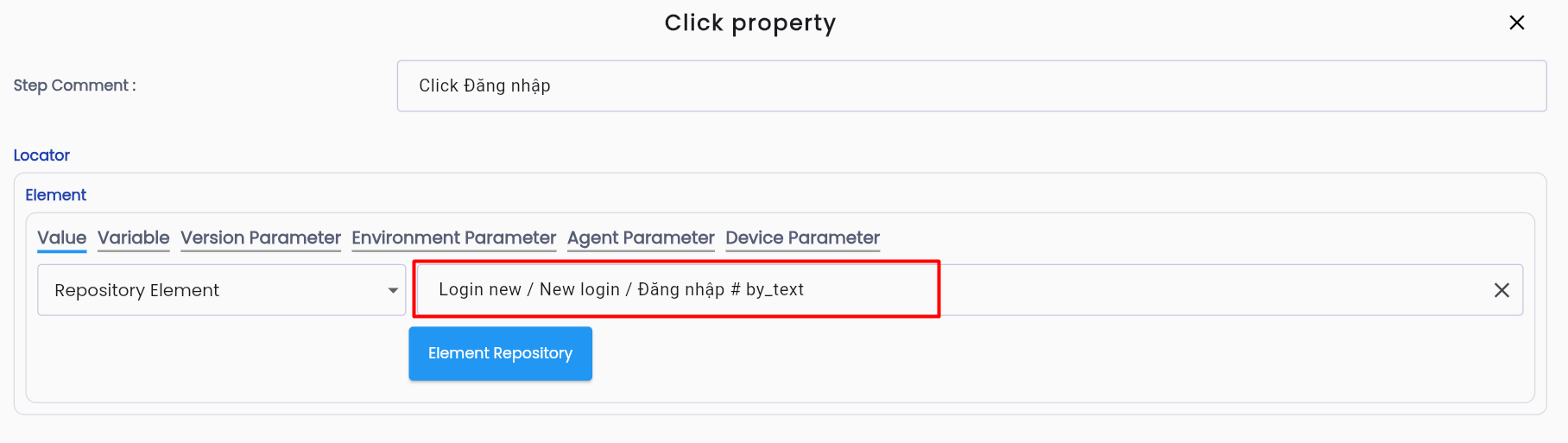
Note: To change the element for this action, the user can click the “Element Repository” button and select a different element following the same steps outlined above.