Multi-Environment
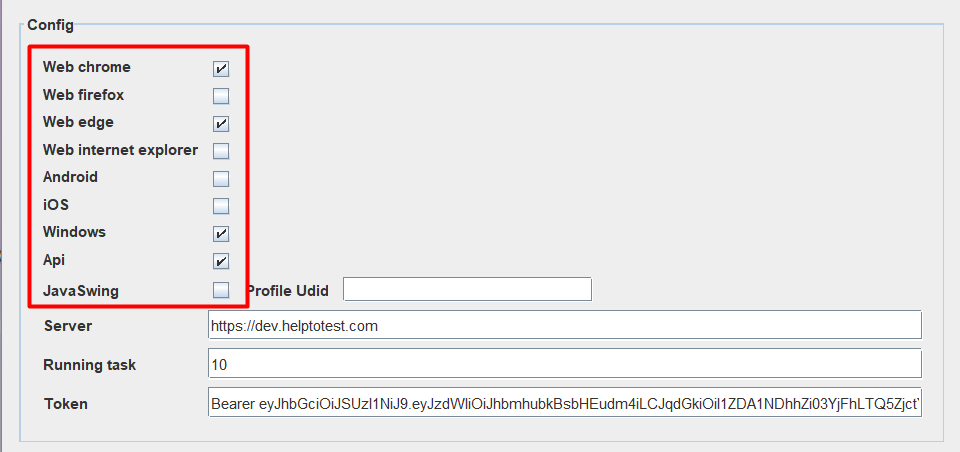
The LLQ QA Platform supports users in testing across multiple environments and platforms within a single test scenario. To configure or execute a multi-environment test scenario, the platform environments must be set up in the Agent before starting. See also Start Agent
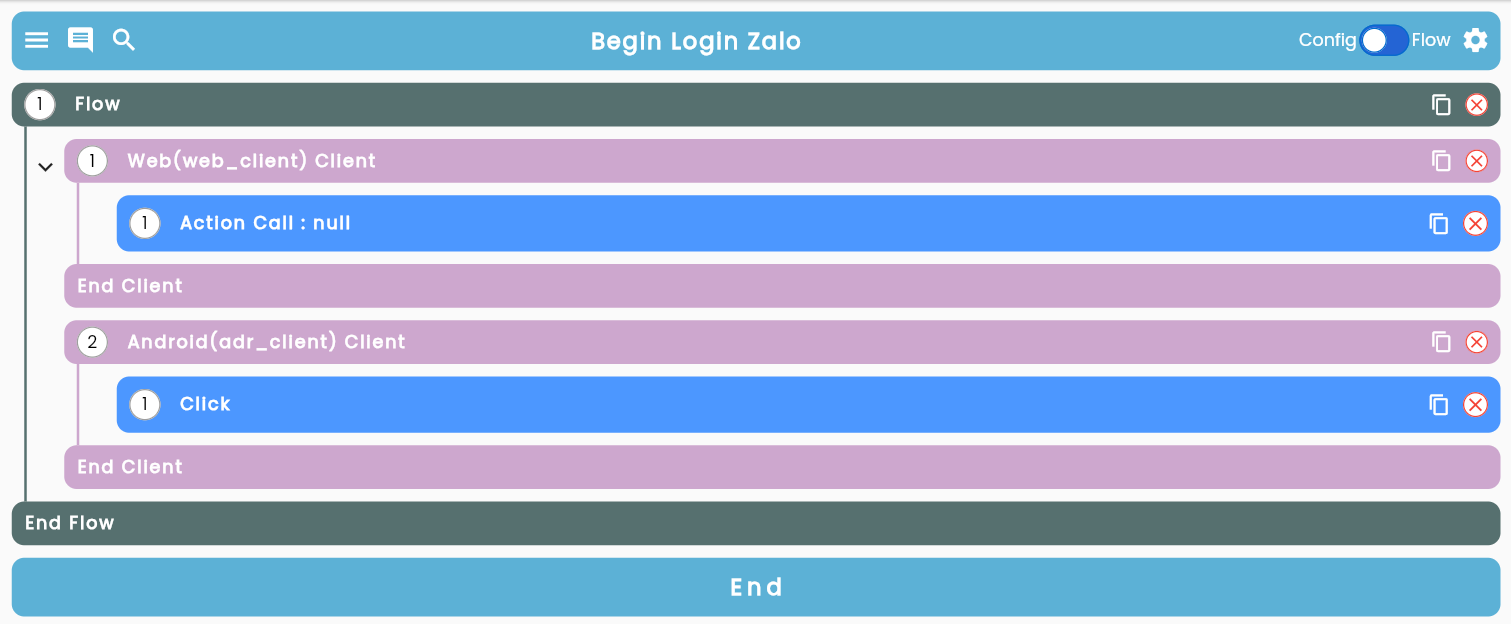
Keyword Client specifies which environment or platform the configuration steps within it will be executed on. Therefore, to test multiple environments or platforms, you need to create a corresponding number of clients, with each client linked to a specific environment or platform.
To configure multi-environment, multi-platform testing in a single test scenario, follow these steps:
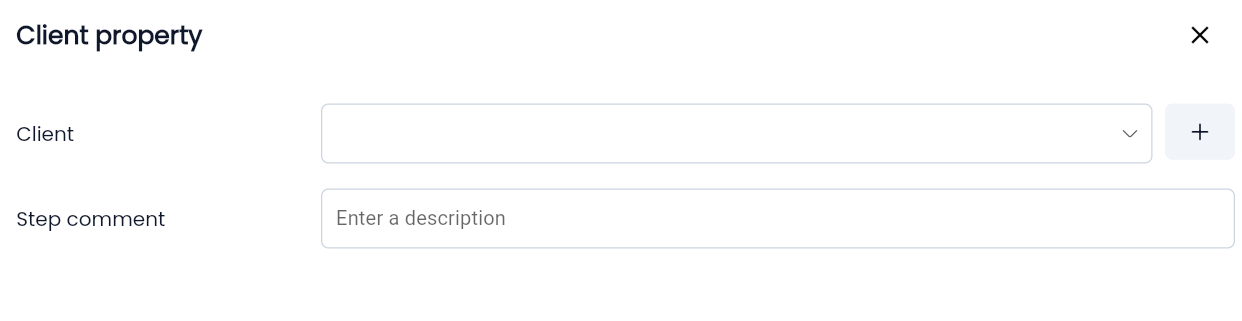
Step 1: Drag and drop the client from the keyword list into the appropriate position.
Step 2: Select the initialized platform and name the client.
Step 3: Design configuration steps suitable for each type of client according to the test scenario.
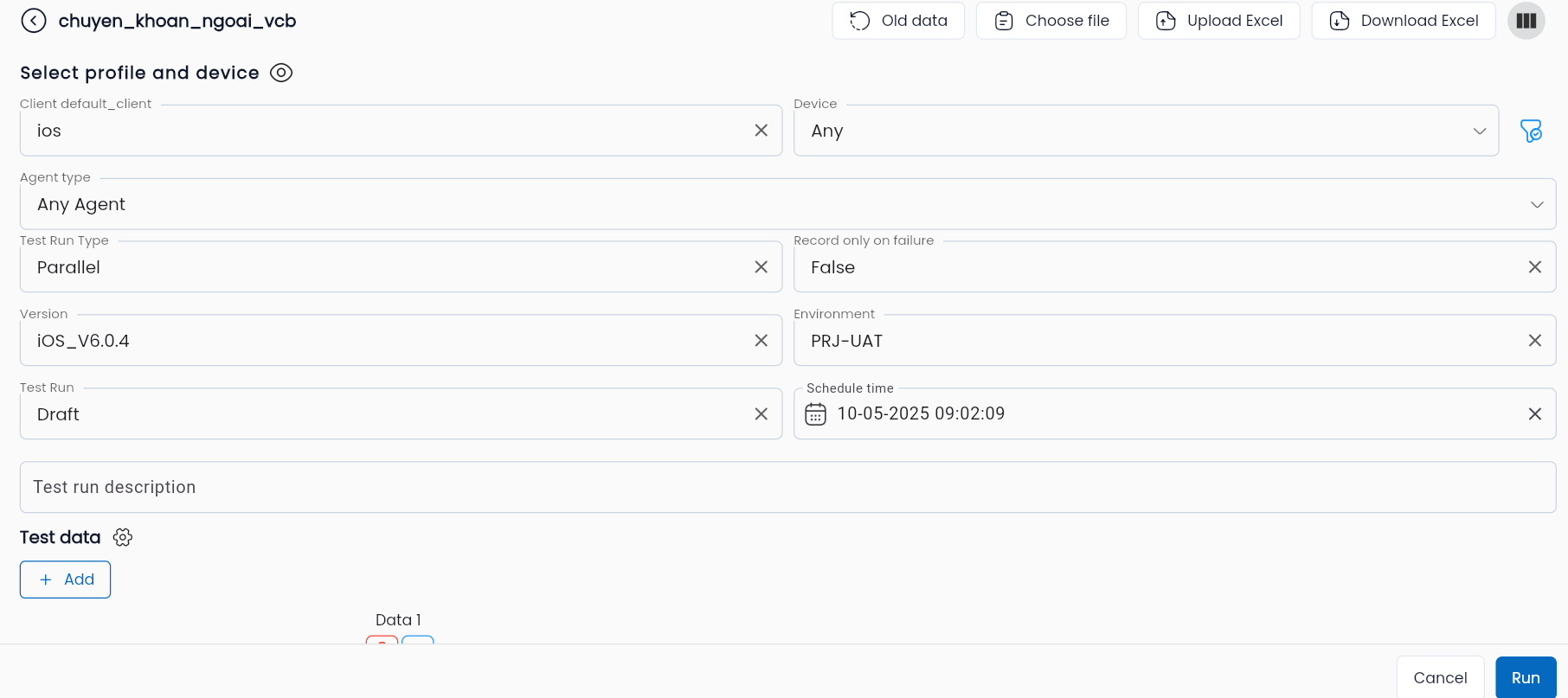
Step 4: During execution, select the appropriate environment for each type of client.