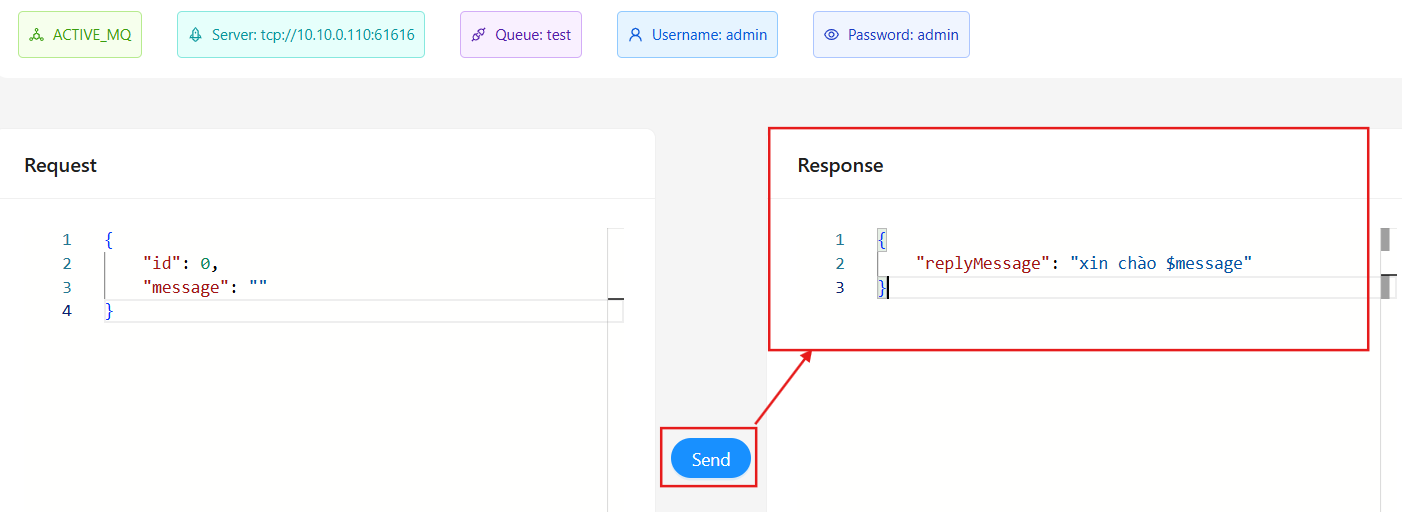
Overview
The JMS project helps you manage your JMS endpoints.
JMS (Java Message Service) is a standard Java API for sending and receiving messages between applications in a distributed environment. It supports an asynchronous communication model, decoupling senders and receivers, allowing applications to exchange data without needing detailed knowledge of each other.
This article will help you understand how to manage JMS endpoints in Service Visualization:
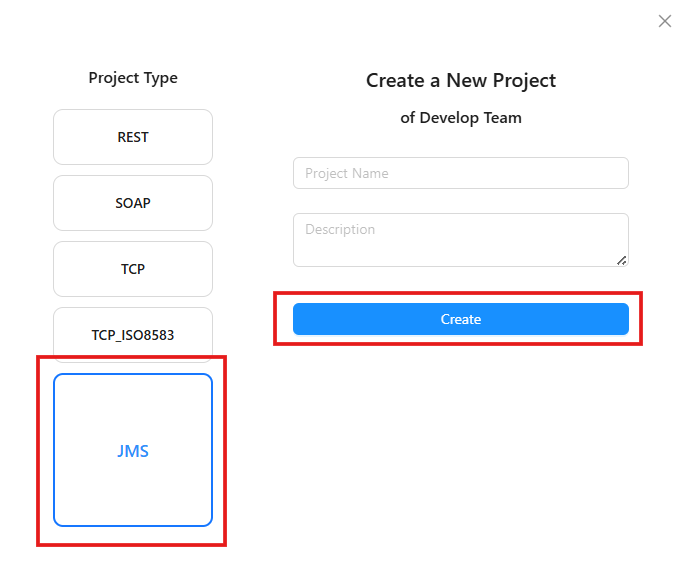
Create a new JMS project
You can create a REST project by selecting Project Type as JMS. For detailed steps, refer to Create a project group
Manage JMS project endpoints
To learn how to create and stop an endpoint, refer to Basic Endpoint
JMS Mapping Configuration
To configure JMS Mapping, follow these steps:
Step 1: Select the JMS Mapping tab
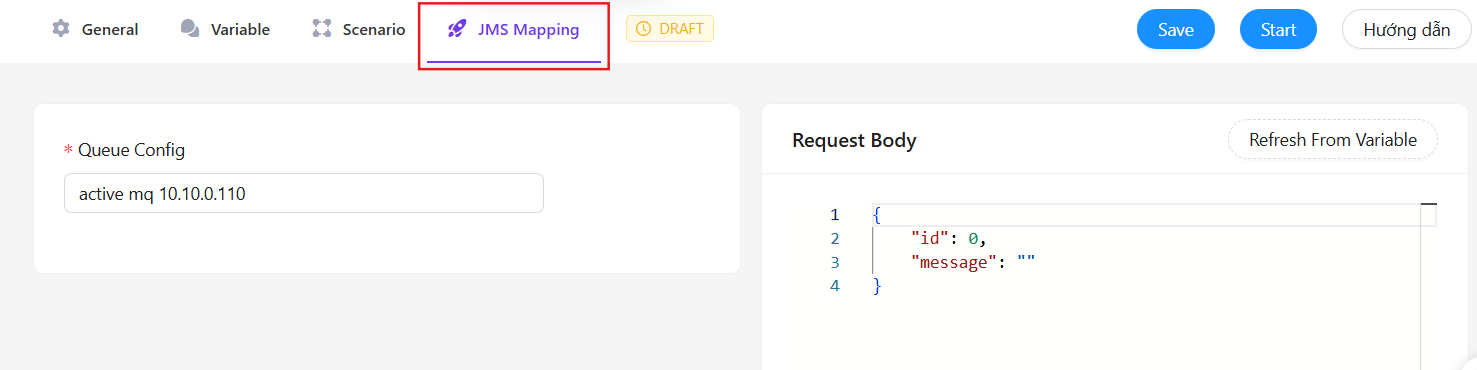
Step 2: Choose Queue Config from the list of jms connector you have created. For details on creating a JMS connector, refer to Create a JMS connector
Step 3: Define the content to send in the Request Body.
Run a JMS Endpoint
You can run your JMS endpoint using the Try It Nowfeature. This page is only visible when the Endpoint is in the Running state. Follow these steps to use this feature:
Step 1: Click the Save button to save your endpoint changes.
Step 2: Click the Start button if the endpoint is in the Draft state.

Step 3: Open the Try it now tab
Step 4: Configure the request data and verify the endpoint information at the top of the page.
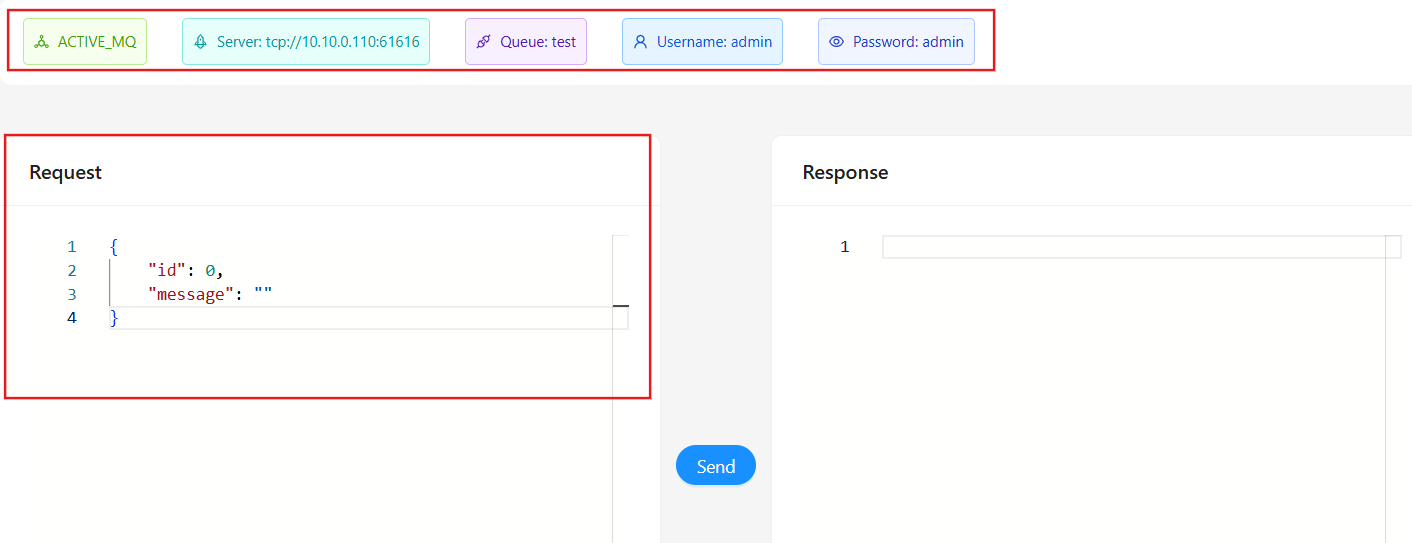 Step 5: Click
 Send to send a request to the endpoint.
Step 6: Check the response data in the Response section.