Overview
The REST project helps you manage your REST endpoints.
REST (Representational State Transfer) is a widely used software architecture for building web services and APIs. REST defines principles and constraints for designing distributed systems like the web, allowing different components in the system to communicate with each other through standard protocols.
This section guides you on how to manage a REST project in Service Visualization:
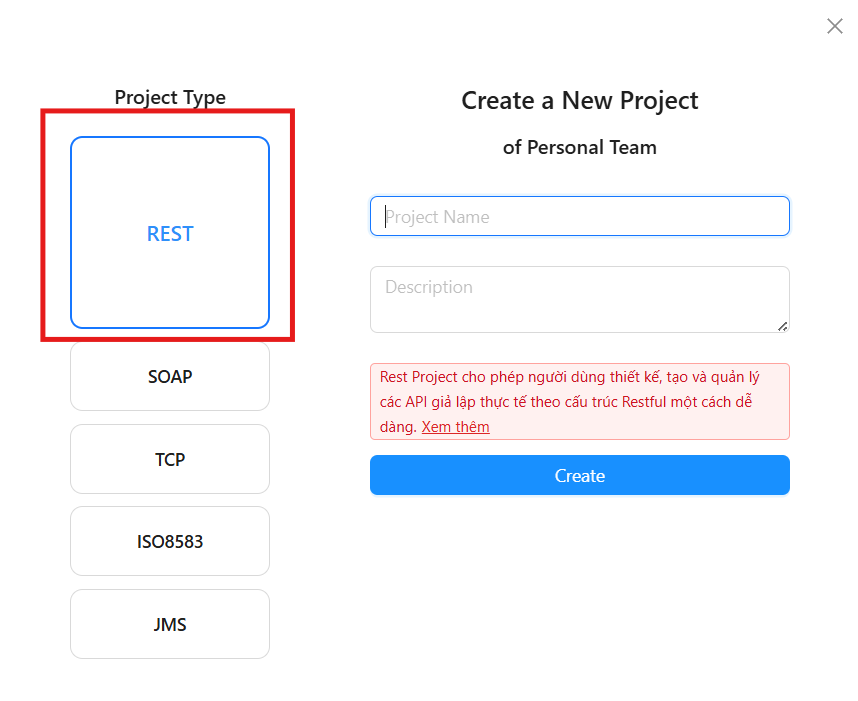
Create a new REST project
You can create a REST project by selecting Project Type as Rest. To see how to create a project, refer to the Create Project Group
Manage the endpoints of a REST project
To create and stop endpoints, you can refer to the Overview of Endpoints
Run REST Endpoint
You can run your REST endpoint through the Try It Nowfeature. This page is only visible when the Endpoint is in the Runningstate. To use this feature, follow these steps:
Step 1: Click the Save button to save the changes to the Endpoint.
Step 2: Click the Start button if the Endpoint is in the Draft state.
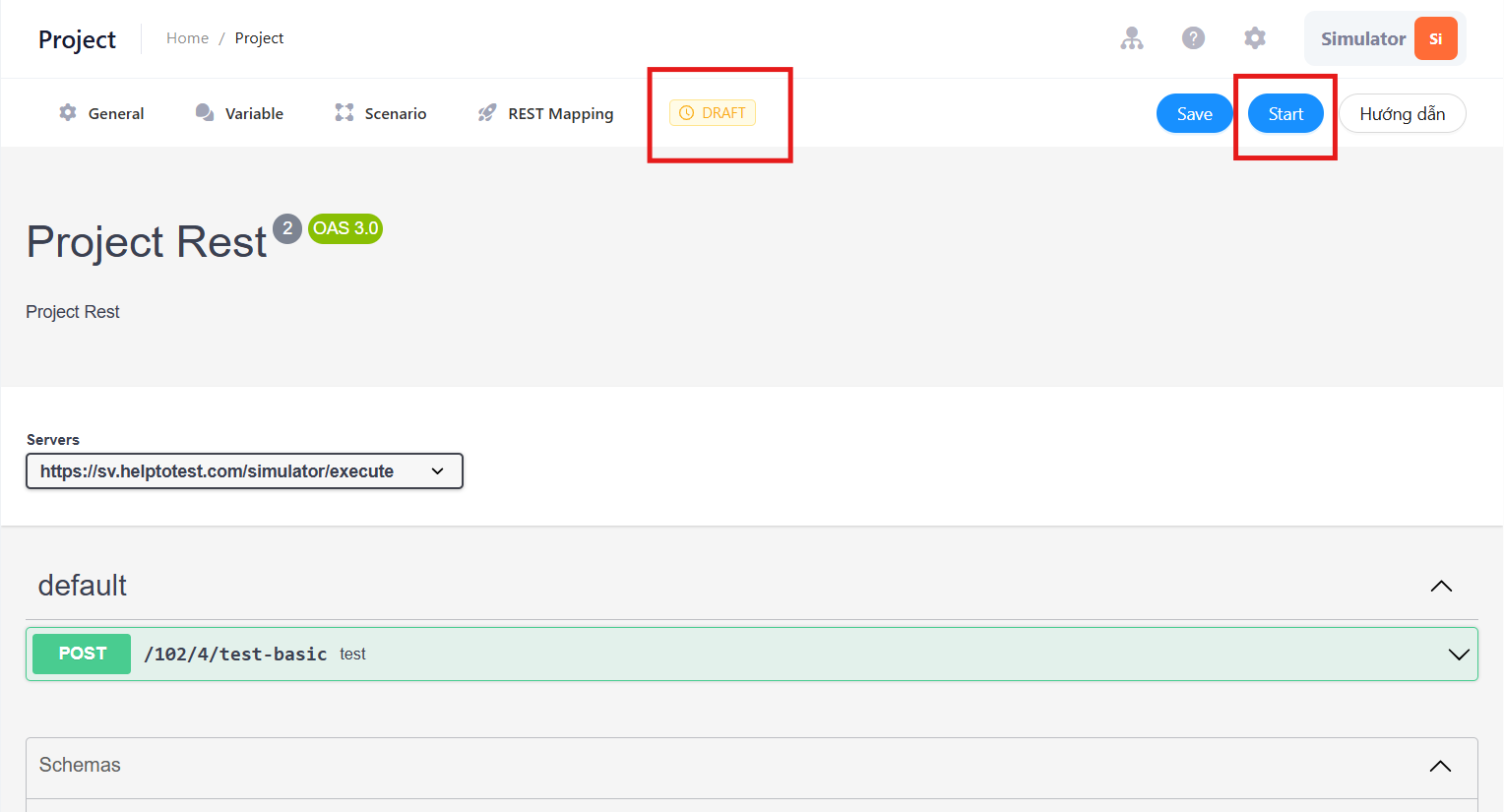
Step 3: Open the Try it now tab
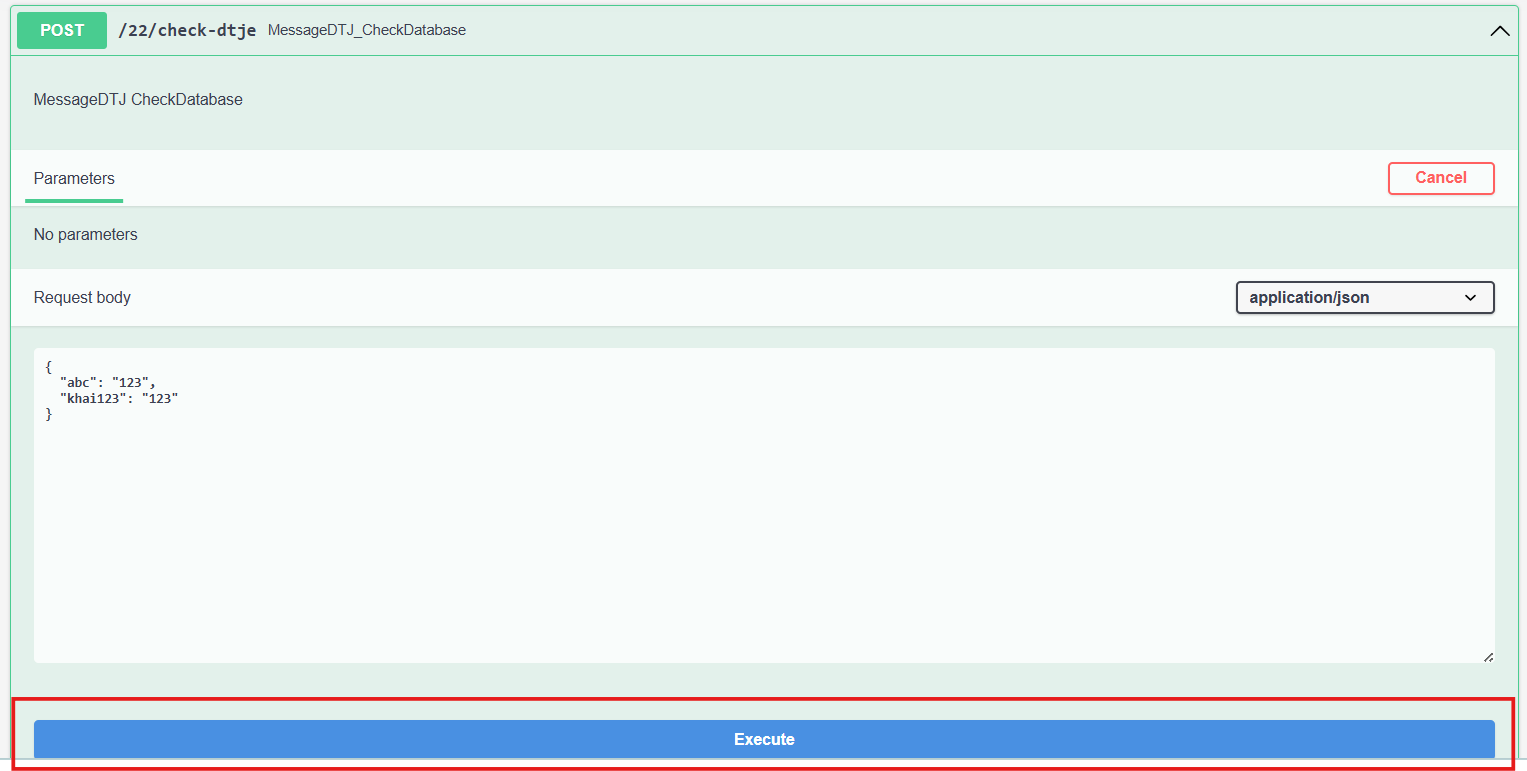
Step 4: Click Try it out to configure the parameters, body, and headers to send.

Step 5: Click Execute to send the request to the endpoint.
Step 6: Check if the information sent and received from the endpoint is as expected.
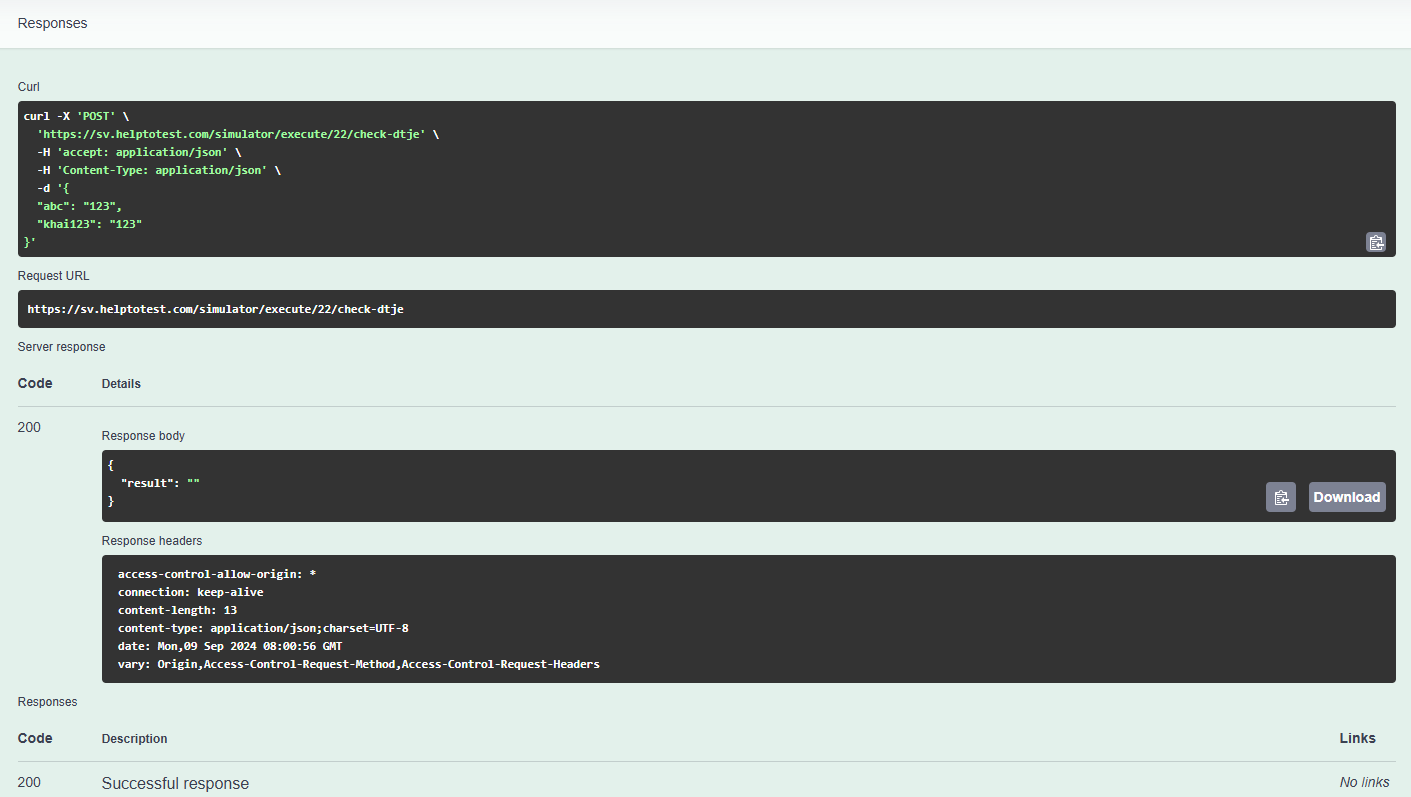
Curl: The request sent.
Request Url: The URL of the endpoint.
Code: This section displays the response codes (HTTP status codes) that the Endpoint can return. Some common codes include:
-
200 OK: Request successful.
-
404 Not Found: Resource not found.
-
500 Internal Server Error: Server-side error.
Media type: You can select the data type the Endpoint will return. For example: application/json to receive data in JSON format.