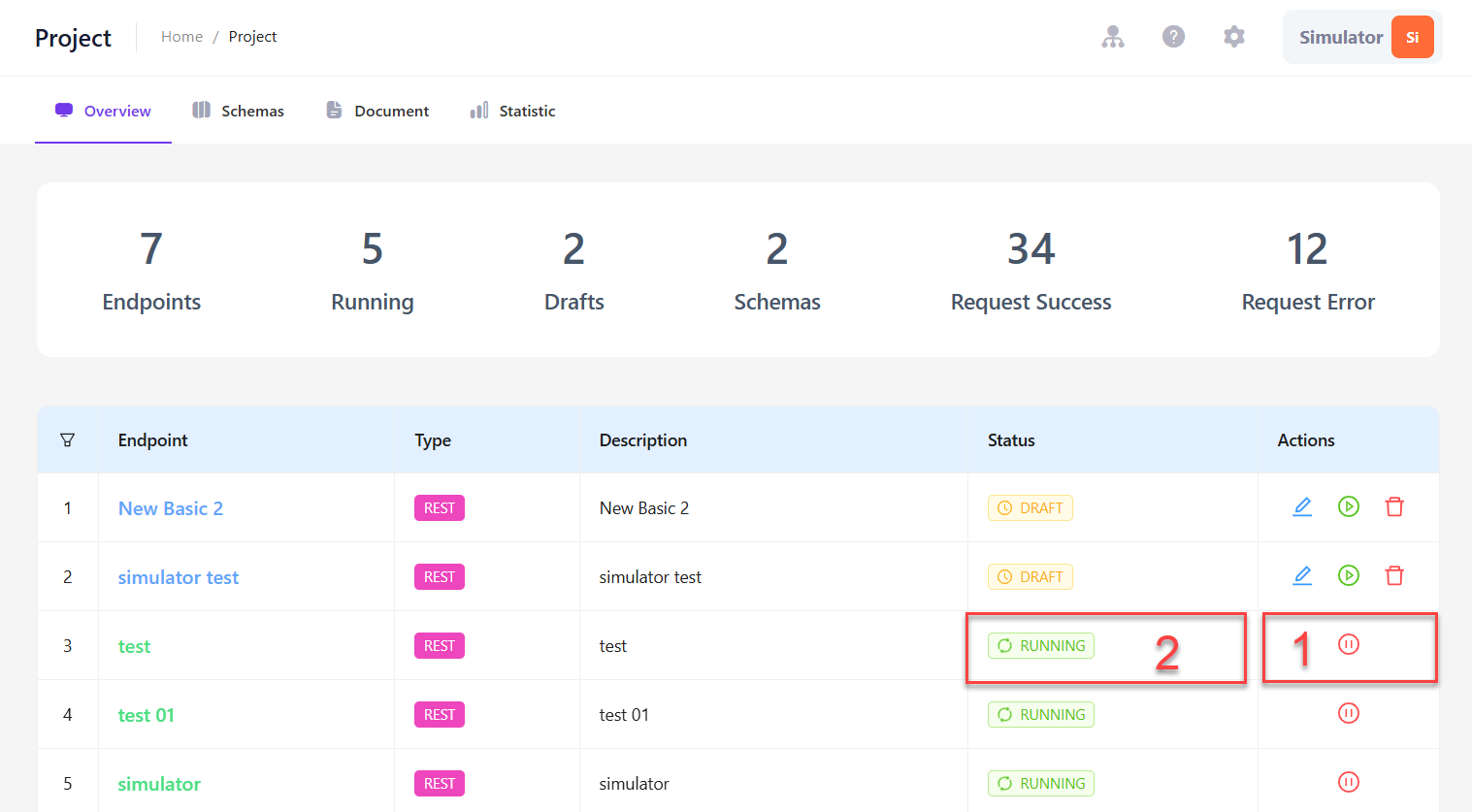
Overview of Endpoint
An endpoint is a common way for applications to communicate with a server and send or request data.
This section guides you through basic Endpoint management in LLQ Service Visualization:
Create a Basic Endpoint
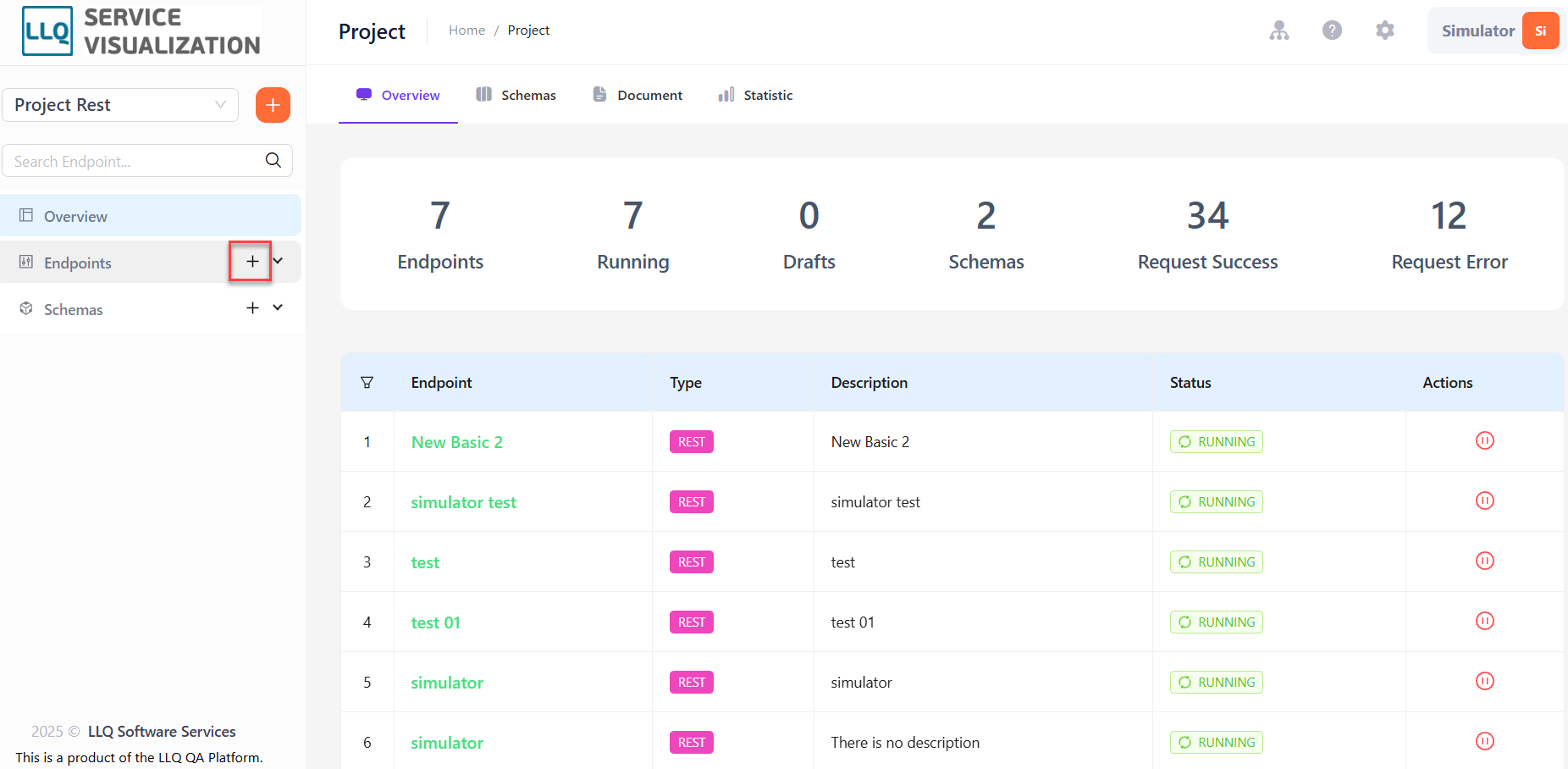
Step 1: On the Project screen, click the icon and select New Endpoint
Step 2: A popup screen for creating a new endpoint appears. Fill in the required information, select Configuration mode and click Create. The Basic Endpoint will be added to the created list.
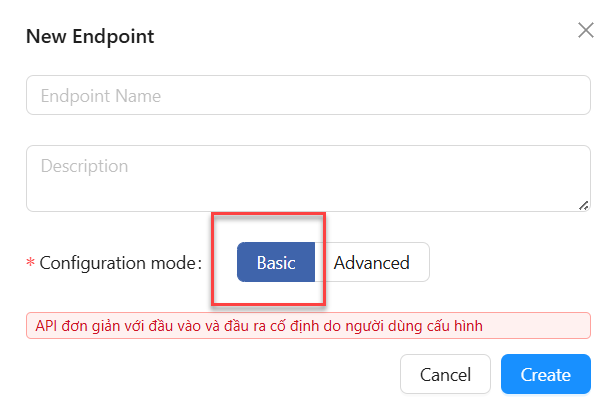
Field Descriptions:
| Field Name | Mandatory | Format | Constraints | Description |
|---|---|---|---|---|
| Endpoint name | Yes | Textbox | Must be unique | The name displayed in the endpoint list |
| Description | No | Textbox | Detailed description of the endpoint |
Run an Endpoint
Step 1: On the Project screen, the Overview tab displays a list of existing endpoints on the system.
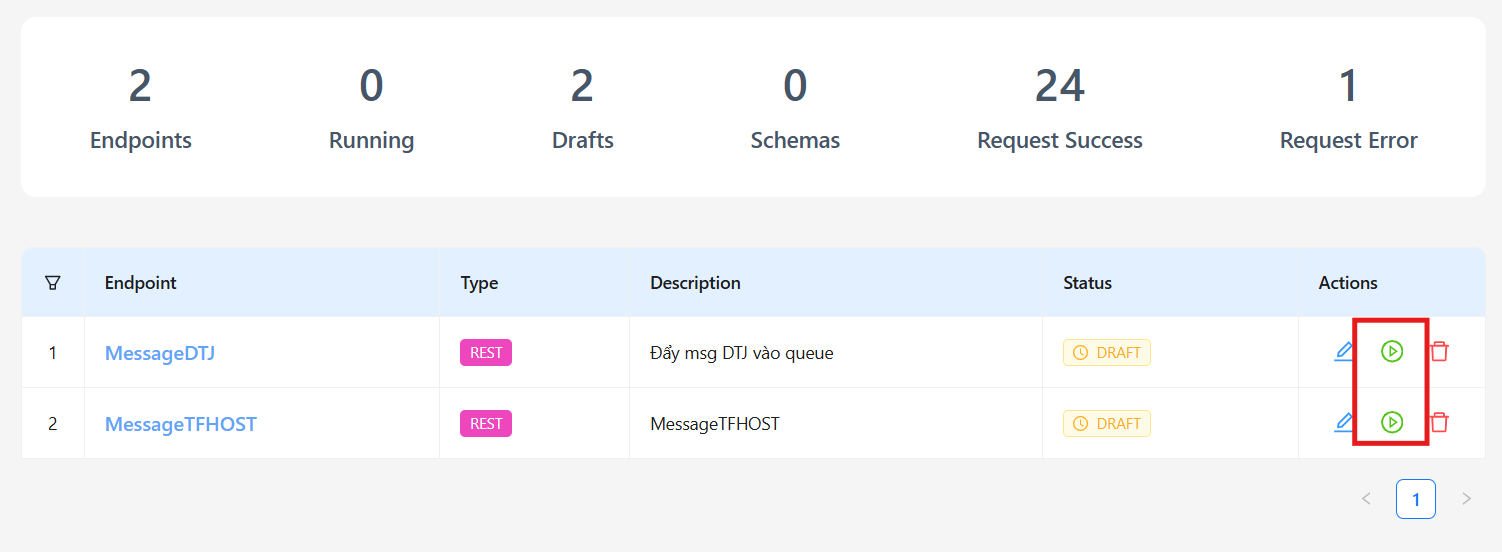
Click on the Running icon (1) on the right side of the endpoint record that needs to be deployed (currently in Draft (2) status).
Stop an Endpoint
Endpoints in the Running state can be stopped by clicking the Stop. The endpoint will return to the Draft state.